
Subscribe
Tags
AI Agents
Voice AI
Developer Tutorials
Bobbystable.ai demonstrates how to build an AI-powered reservation workflow that starts on voice and finishes with a durable self-service handoff. The AI agent collects reservation details by phone, then sends an SMS confirmation that includes key information and a unique link so customers can update or cancel online. The guide also explains how Multi-Factor Authentication (MFA) is used to verify the customer before changes are allowed, which makes the same pattern applicable to secure workflows like appointment changes, order updates, and customer support follow-ups.
Build a Voice Agent That Confirms Requests, Then Hands Off to SMS and Web Self-Service
Bobbystable.ai is a clean reference implementation of a voice agent that hands off a durable, self-service workflow to the web and SMS, with real access control. The caller interacts by phone, the system creates or updates structured reservation data, then sends an SMS confirmation that includes a unique link so the customer can update or cancel later. The demo uses SignalWire’s MFA API to verify the phone number before allowing changes. This demo is a practical multi-channel design, voice, SMS, and web working together, plus a lightweight operator view to see the interaction and function execution status.
Building an AI-powered restaurant reservation system
Welcome to Bobbystable.ai – a functional demo of a restaurant reservation system using SignalWire's multi-factor authentication (MFA) API and an AI agent. This example will demonstrate how to optimize your reservation process using AI, creating a seamless experience for customers (and for you).
SignalWire AI is a powerful tool that allows you to build and deploy your own voice AI agent. Powered by advanced natural language processing (NLP) capabilities, your AI voice agent will understand caller intent, retain context, and generally behave in a way that feels “human-like.”
Requirements
Building this particular example for reservation management requires a significant amount of code and other tools to get started.
In this GitHub repository, you will find the full prompt powering the AI, along with all the functions written in Perl. In addition to what is included in this repository, you will also need a web server (like NGINX), a database (like PostgreSQL), SignalWire's MFA API, and an approved campaign for SMS.
To test out this live demo, call 1 (754) 43-BOBBY
Design and security highlights
At the heart of Bobbystable.ai is its website, serving as the display for reservation details. While it could be secured with a username and password, this demo was left open deliberately to showcase the bot's functionality. Users can input reservation details such as date, time, party size, guest name, and contact number.
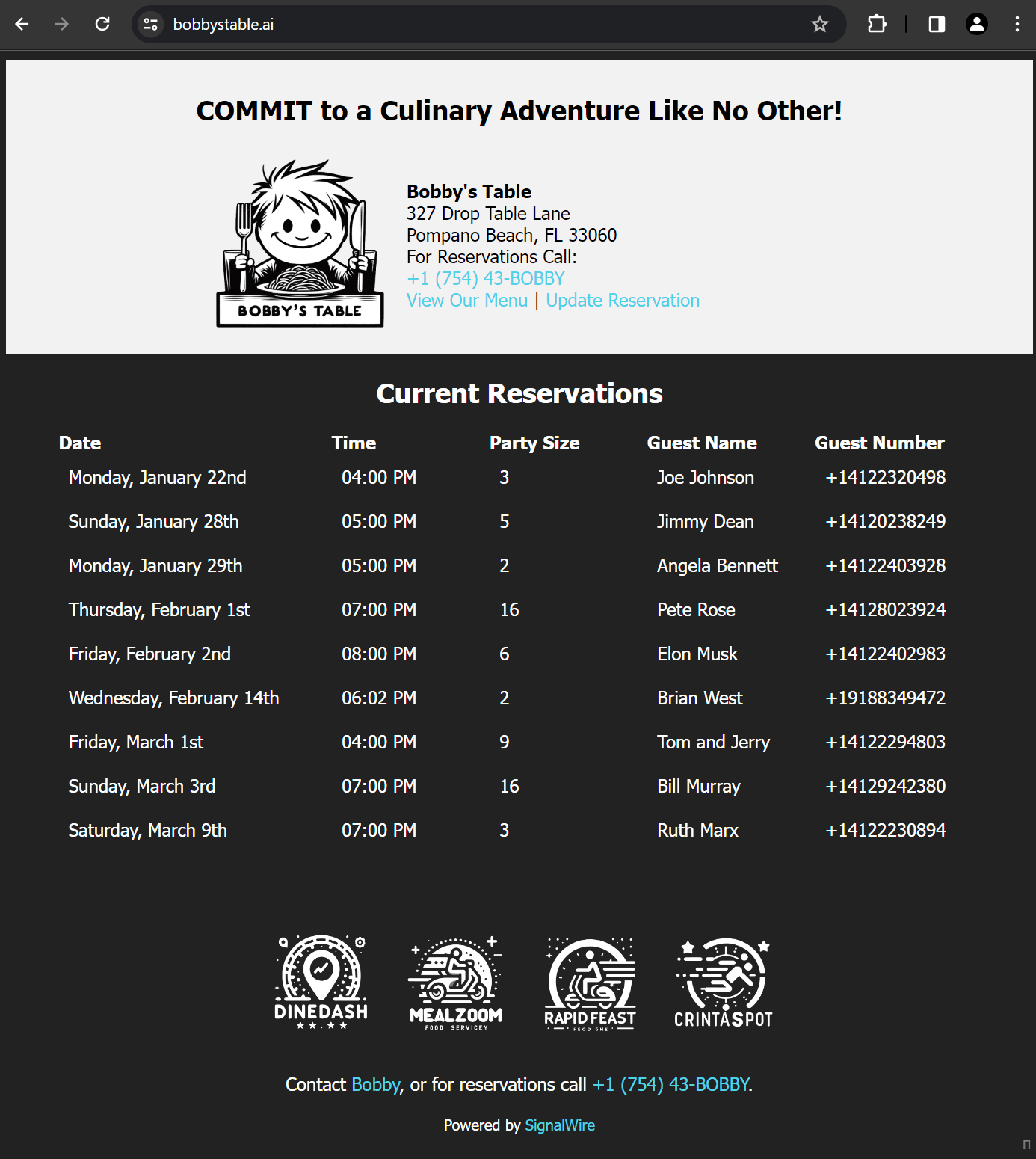
Bobbystable.ai prioritizes user experience with its simple design, emphasizing clear steps for reservation management. The system incorporates verification steps to add an extra layer of security, while the footer provides additional contact information and links to partner services.
SMS integration and SignalWire AI Agent
Beyond web interactions, Bobbystable.ai extends its reach through SMS, providing reservation details and a unique link for online updates. This integration showcases SignalWire's broader capabilities of contacting customers across multiple channels, combining an AI agent for voice with the convenience of SMS.
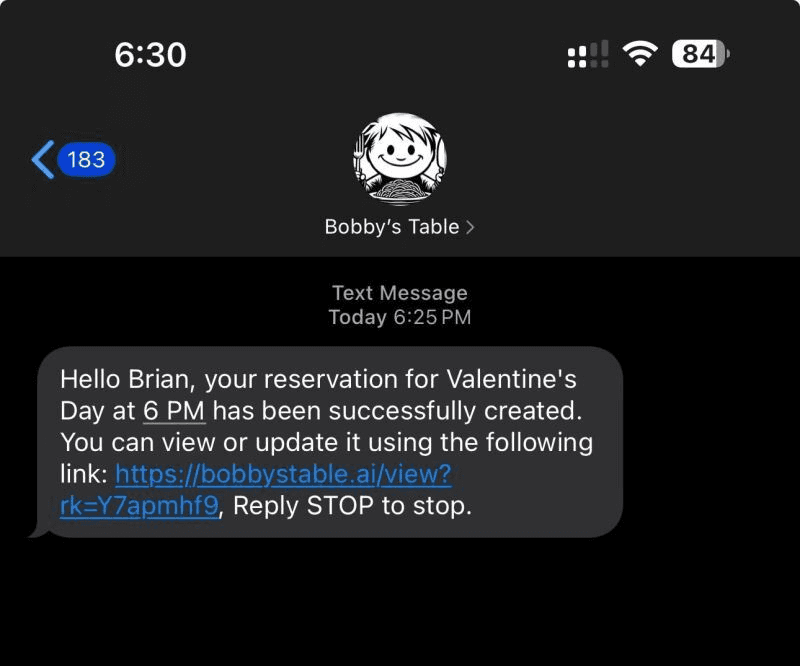
The confirmation message includes:
Reservation name
Reservation date and time
Instructions to update the reservation online with a unique link
The option to unsubscribe to comply with SMS regulations
Interactive features for customers
Bobbystable.ai provides a user-friendly reservation management process. Customers verify their reservation by entering their phone number, undergo a security check with SignalWire’s MFA API, and finally, they can update or cancel reservations.
The site's interactivity is powered by form inputs and links, allowing customers to easily update or cancel their reservations. Here's how it works:
Step 1: Verifying the reservation
Customers begin by entering the phone number under which the reservation was made. This step is crucial for identifying the correct reservation to be updated.
Step 2: Security verification
In the second step, customers are asked to input the verification code (powered by the SignalWire MFA API) sent to their phone. This level of security ensures that only the person who made the reservation can modify it.
Step 3: Updating reservation details
Finally, customers can update their reservation details, such as the name on the reservation, the number of people, or the date and time. They can also choose to cancel the reservation in this step.
Footer section
The footer provides additional contact information and links to partner services like DineDash, MealZoom, and RapidFeast to enhance the user experience.
The website's design focuses on ease of use. The clear, step-by-step process for reservation management makes it straightforward for users to modify their plans. The use of forms and validation ensures that the information is accurate and secure.
Backend interface
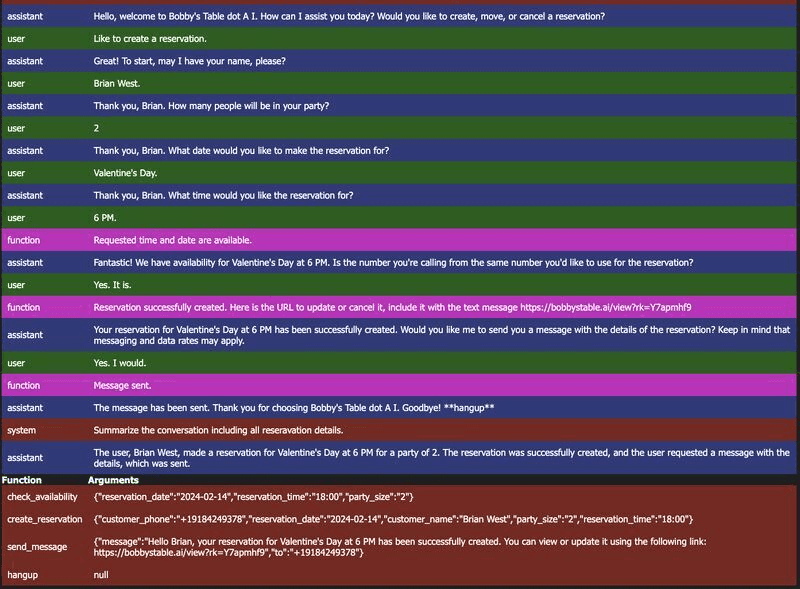
The backend interface is gated by a username and password. You can access it to see the interactions between the AI agent and customers to make sure everything is functioning as intended.
user: The caller's interaction.
Assistant: The AI bot's interaction.
function: This shows that the function was executed either correctly or incorrectly.
system: This is like the assistant but on a higher level.
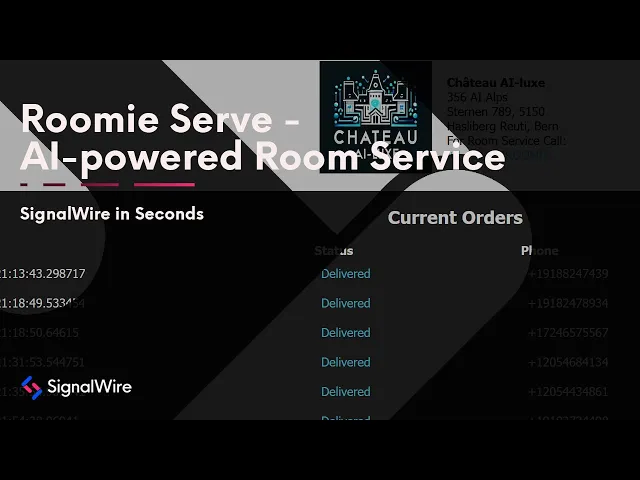
Roomie serve variation
If you've already started with Bobby's Table, you can follow similar steps to create a room service bot. Roomie Serve structures data efficiently using metadata tables in the AI Agent to avoid SQL latency. Every piece of information used by the app is systematically stored within these tables, from menu specifics to SKUs and pricing. Shopping cart functionality is also integrated in the metadata framework, serving as a temporary data repository while the AI Agent is active.
This innovative approach drastically reduces the need for direct database interactions, significantly enhancing response times and the smoothness of interactions with the AI. Follow the video below to learn more about Roomie Serve.
If you run into any issues as you build your own AI-powered voice assistant to handle reservations and appointments, you can bring questions to our team of experts on Discord!

When should a voice agent hand off to SMS and a web link instead of completing everything on the call?
Use SMS plus web when the outcome needs to be saved, revisited, or edited later, such as confirmations, receipts, update links, cancellation links, directions, or multi-step forms.
What should an SMS confirmation include for self-service workflows?
Include the essential details, such as name and date and time, plus clear instructions and a unique link for updates, and an unsubscribe option when required for compliance.
What kinds of workflows benefit from an AI agent plus verification?
Any workflow where callers schedule, reschedule, update, or cancel something, including reservations, appointments, deliveries, and customer support callbacks, especially when you need to confirm identity before making changes.
What should operators monitor in an AI agent workflow that uses functions?
Track the conversation, function execution results, and system messages so you can diagnose failures quickly and confirm the workflow is updating the right records.
Related Resources