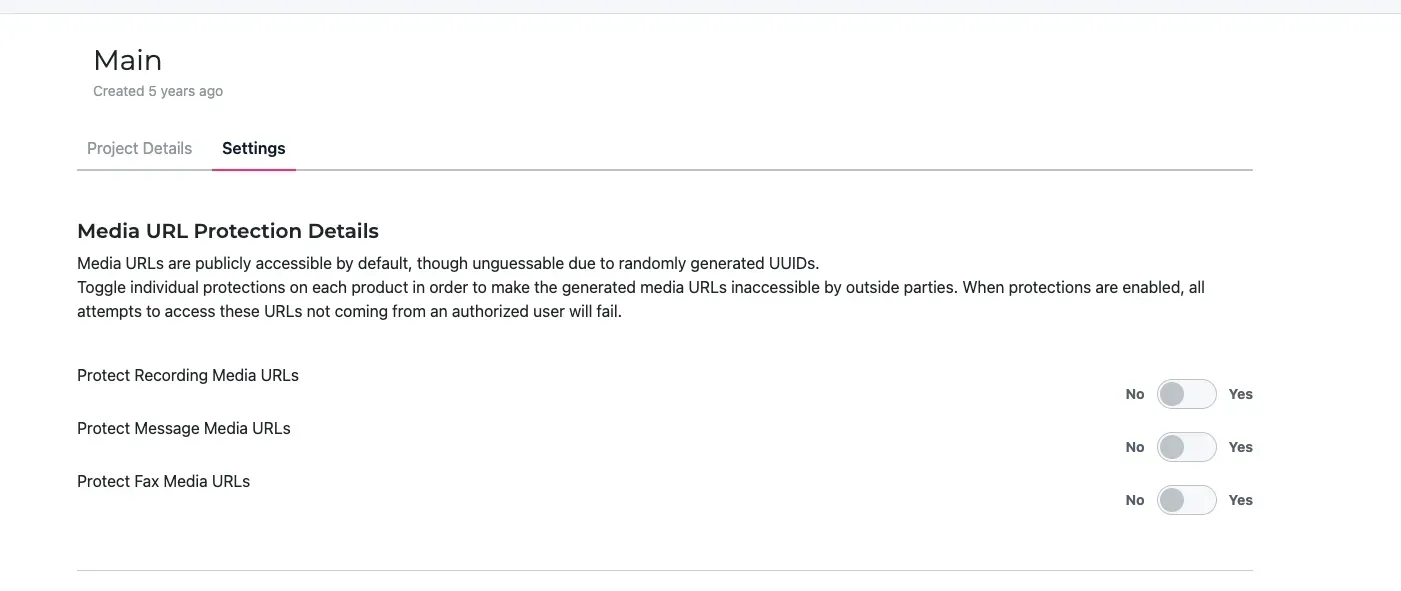
Media URL protection
Media URL Protection controls access to media files generated by your SignalWire services, including call recordings, MMS attachments, and fax documents.
By default, these media URLs are publicly accessible to anyone with the direct link, but they contain randomly generated UUIDs that make them virtually impossible to discover or guess. This provides security through obscurity, but may not be sufficient for applications handling sensitive content.
When Media URL Protection is enabled, accessing these URLs requires authentication using your project’s API credentials. This uses the same authentication method as other SignalWire API endpoints. Unauthorized attempts will be denied.
For more information about API credentials and how to use them, see the API credentials documentation.
Configuring media protection
Select your project
Navigate to the projects page and select the project where you want to configure media protection.
Access project settings
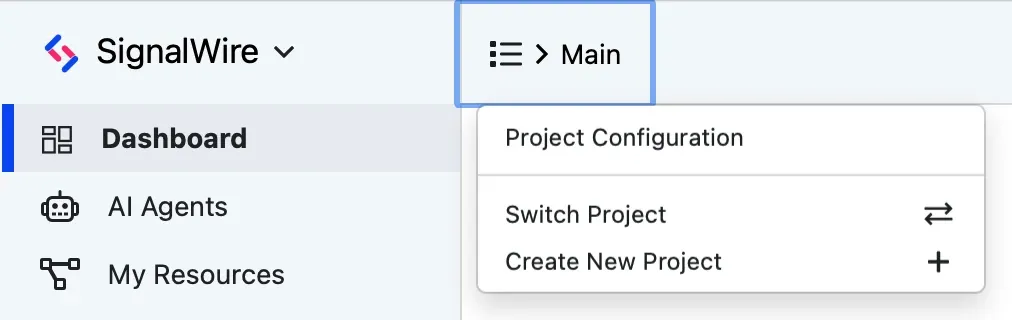
Once in your project dashboard, click on the area where your project name is displayed. This should open a menu with an option called Project Configuration.
Click on this option to be directed to the project settings page.
Locate media URL protection
Scroll down to find the Media URL Protection Details section, which contains three independent toggles:
- Protect Recording Media URLs - controls access to call recordings generated by your voice services.
- Protect Message Media URLs - applies protection to media attachments sent through SMS and MMS messages, including images, documents, and other attached files.
- Protect Fax Media URLs - secures fax documents and their attachments. Fax metadata and delivery confirmations remain unaffected.