
Get started
SignalWire is a programmable unified communications platform that unifies voice, messaging, video, and AI into a single control plane. SignalWire’s APIs and SDKs enable developers to build state-of-the-art realtime communication experiences without needing to manage complex telecom infrastructure or stitch together disconnected tools.
Set up your account, pick the right way to build, and launch your first application.
Your SignalWire Space
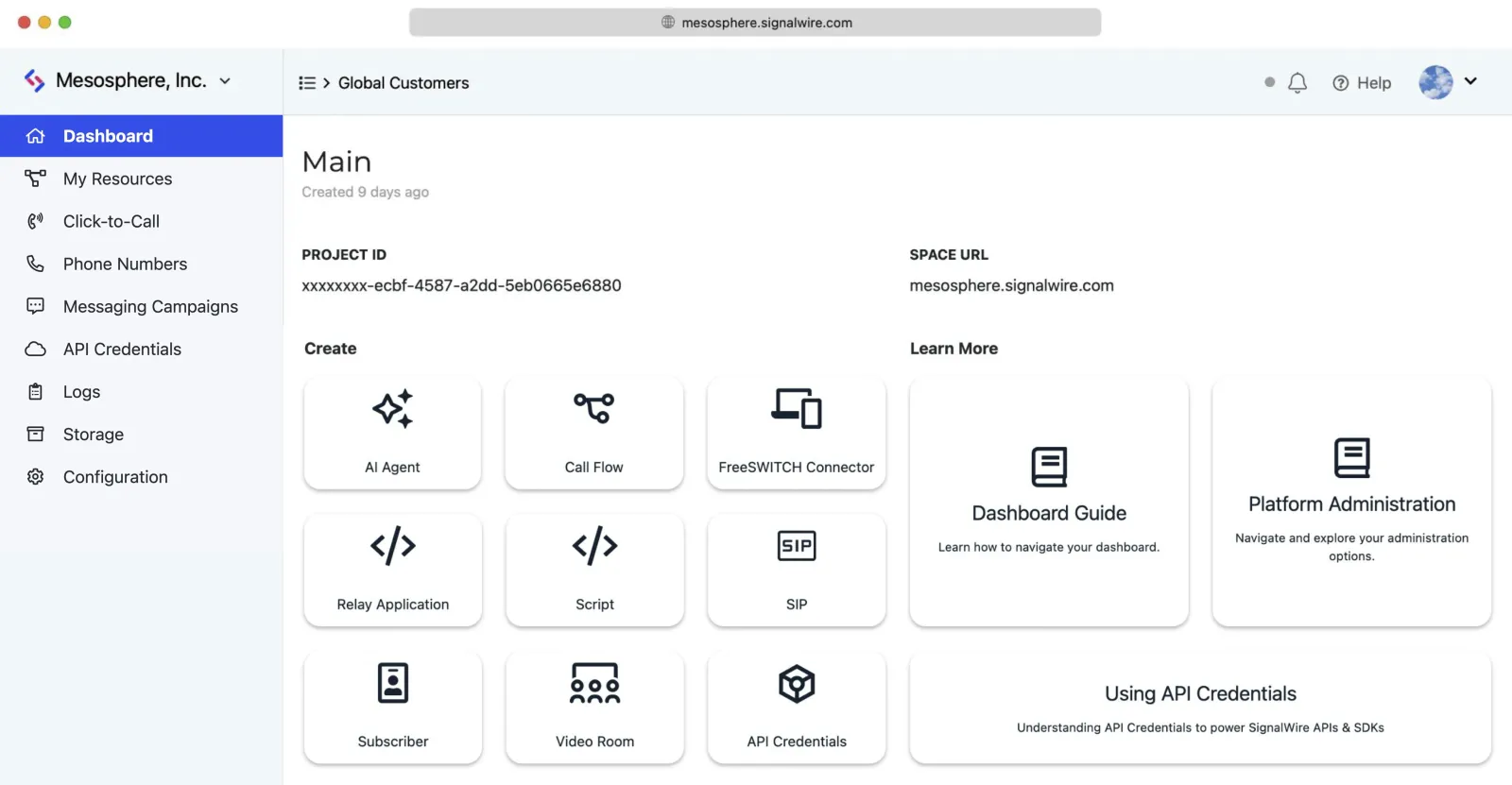
When you create a SignalWire account, you also create a Space, like spacename.signalwire.com.
Your Dashboard is located at that subdomain.
In your Dashboard, you can:
- Buy and configure phone numbers
- Create and manage your applications
- View call logs and analytics
- Access your API credentials
- Set up AI agents, call flows, and more
Start building
Let’s begin by figuring out the best way for you to build. The right approach depends on what you’re creating and how you prefer to work.
What are you trying to build?
AI Application
Browser or Mobile App
You want voice, video, or chat directly in a web browser or mobile app.
This is common for:
- Click-to-call buttons on websites
- In-app voice or video calling
- Browser-based contact centers
- Video conferencing applications
Browser SDK - Our JavaScript SDK for building custom WebRTC experiences. You get full control over the UI and user experience. Best when you need video conferencing, custom calling interfaces, or real-time chat.
Server Application
You’re building a backend service that handles calls or messages.
This is common for:
- IVR systems and phone menus
- Automated call routing
- SMS notifications and two-factor auth
- Call centers and support systems
- AI voice agents
Choosing an approach
If you need straightforward call handling (IVRs, call forwarding, playing messages), use SWML. Your server responds to webhooks with JSON/YAML instructions. It’s stateless and works with any programming language.
If you need realtime control (live call monitoring, mid-call transfers, complex orchestration), use the RELAY client. It maintains a persistent WebSocket connection for instant, bi-directional communication. Best for applications that need to react to events as they happen.
If you’re building AI voice agents, use the Server SDKs. They’re designed for creating conversational AI that handles phone calls, in the language of your choice: the SDK generates the agent configuration and hosts your SWAIG functions for you.
No-Code / Low-Code
You want to build without writing much (or any) code.
This is common for quick prototypes, simple IVRs, and small businesses needing basic call handling.
Call Flow Builder - A visual, drag-and-drop interface for building call handling logic. No code required. You connect nodes to define what happens when someone calls - play a message, gather input, route to different people, etc.
SWML Scripts - Write simple JSON or YAML scripts directly in your Dashboard. It’s not quite “no code” but it’s very low code, and you don’t need to run any servers. SignalWire hosts the scripts for you.
Quick start for no-code
- Buy a phone number - Go to Phone Numbers in your Dashboard
- Create a Call Flow - Use Call Flow Builder to design what happens when someone calls
- Assign it to your number - Edit the number settings and select your Call Flow
- Call your number - Test it out!
Migrating from Twilio*
You have an existing Twilio application and want to move to SignalWire.
Good news, SignalWire’s Compatibility API is designed as a drop-in replacement. In most cases, you can switch by changing a few lines of code.
What’s compatible
AI is not supported in the Compatibility API. Check out the AI Application section instead.
Migration steps
- Create a SignalWire account at signalwire.com/signup
- Get your credentials from Dashboard > API > API Tokens
- Update your code to use SignalWire’s SDK and credentials
- Update webhook URLs if needed (cXML syntax is identical to TwiML)
- Buy or port phone numbers to SignalWire
- Test your application
Core concepts
Projects and Subprojects
A Project groups everything you build: phone numbers, Resources, and API credentials. Every Space starts with one, and you can add more at any time.
Beneath a Project you can nest Subprojects, one level deep. A Subproject is a full Project with its own Project ID, API tokens, and Resources, which makes it a clean way to isolate a customer, a tenant, or a staging environment. Unlike root Projects, Subprojects can be created and deleted through the API.
Communication channels
SignalWire supports the following communication channels:
Most channels can work over different transports depending on how you want to connect:
For example, a voice call could come in via PSTN (someone dialing your number), SIP (from a desk phone), or WebRTC (from your web app). SignalWire will handle all three.
Phone numbers
To make or receive calls and messages through the phone network, you’ll need SignalWire phone numbers. You can buy local numbers, toll-free numbers, or short codes directly from your Dashboard or the API.
Each number can be configured to handle incoming calls and messages differently - whether that’s forwarding to another number, running a script, connecting to an AI agent, or triggering your own application.
We also offer the option of purchasing phone numbers programmatically via our Purchase a Phone Number API Endpoint.
Resources
In SignalWire, a Resource is anything that can handle communications - an AI agent, a script, a SIP connection, or your own application. When a call or message comes in, you tell SignalWire which Resource should handle it.
Common Resource types include:
- SWML Scripts - Simple JSON/YAML instructions hosted in your Dashboard
- AI Agents - Conversational AI that handles calls autonomously
- Call Flows - Visual drag-and-drop call routing
- Relay Applications - Your own server applications connected via WebSocket
Addresses
Every Resource has an Address. This is a unique identifier that lets you target and interact with it. Think of addresses as the phone number for any Resource, but broader in scope.
Addresses can be:
- Phone numbers - Traditional numbers like
+14155551234for PSTN calls - SIP addresses - For VoIP connections like
sip:user@domain.com - Aliases - Custom names like
/support-queueor/main-conferencethat are easy to remember
A single Resource can have multiple addresses, and you can change them anytime. For example, you might point both a phone number and a custom alias to the same AI agent.
Subscribers
Subscribers are end users who authenticate with SignalWire to make and receive calls. If you’re building a contact center, business phone system, or video conferencing app for example, your users become Subscribers.
SignalWire manages these users for you. You create, update, and delete them through our REST APIs, and each Subscriber gets:
- Authentication - Secure credentials and tokens for logging in
- A callable address - They can be reached directly at
/private/username - Multi-device support - They can answer calls from a browser, mobile app, or desk phone
This means you don’t have to build user management, authentication, or device registration yourself - SignalWire handles it.
Next steps
Once you’ve chosen your path, here are some resources to help you along the way:
- Discord Community - Join 8,000+ developers. Great for questions and sharing what you’re building.
- GitHub - Example code, SDKs, and open source tools.
- API Reference - Detailed documentation for all our APIs.
If you get stuck or have questions, our support team is here to help at support@signalwire.com.
*Twilio and TwiML are trademarks of Twilio, Inc. SignalWire, Inc. and its products are not affiliated with or endorsed by Twilio, Inc.