
System-directed AI
SignalWire AI separates conversation from control. The model interprets what a person says and carries the conversation. Your code checks current data, applies business rules, performs actions, and returns results that direct what the agent does next.
This division makes the agent system-directed. A prompt defines how the agent communicates and when it should use a tool. Your systems remain the source of truth for facts and decisions that must be exact, current, or enforced.
An agent definition includes its prompt, contexts, state, and tools. The same definition can handle voice calls and text conversations while SignalWire runs the model and manages the session.
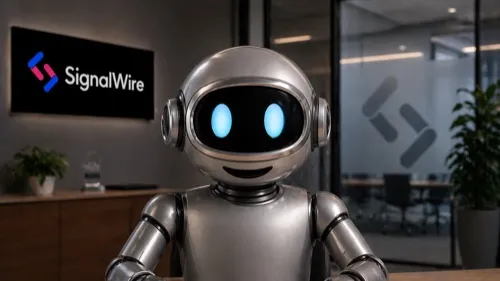 Call SigmondA voice and video AI agent built with the SignalWire SDKs, wired to a live knowledge base, and able to see what you show it. The same agent runs on voice, phone, WhatsApp, or SIP.Start a video call
How system-directed AI works
A conversation moves between the model and your systems as the situation requires:
- A person speaks on a voice channel or sends a turn through the AI Chat API.
- SignalWire adds the input to the session. The model interprets it using the agent’s prompt, current context, and state.
- When the agent needs current information or permission to act, it calls a tool defined through the SignalWire AI Gateway (SWAIG).
- Your code validates the input, reads your systems of record, applies your rules, and returns a result. The result can include data for the agent, instructions for the next response, and actions for SignalWire to execute.
- The agent explains the result and continues the conversation. A returned action can update state, change context, send a message, transfer a call, or take another step in the conversation.
Consider a taxi dispatcher. The model can recognize that a caller wants a ride and collect the pickup time. It cannot know which drivers are working. A SWAIG tool sends the requested time to the dispatch system, where code checks availability and policy. The result tells the agent which times it may offer instead of leaving that decision to the prompt.
The Tool calling guide covers this request and response cycle, including validation, state, and actions.
What each layer controls
A prompt remains useful for identity, tone, conversational goals, and deciding when to reach for a tool. It is not an enforcement boundary. Put prices, schedules, eligibility rules, and other authoritative decisions in code. Store checked values in agent state so later tools use validated data instead of asking the model to recall it.
Prompt engineering covers the conversational side of this design. Best practices explains how to divide work between the prompt and your code.
One agent across voice and text
Voice and text are channels into the same agent. Both use the same prompt, contexts, state, SWAIG functions, and tool results.
Server applications can send text turns with AIChatClient. Browser and mobile
applications connect through ChatGateway, which keeps SignalWire credentials in
your trusted application rather than in the client. Chat with an AI agent walks
through each path.
Voice-specific settings, such as voices, speech hints, and end-pointing, do not apply to text.
Business rules and tool implementations can remain channel-independent. A SWAIG request identifies
its conversation as voice or chat when your application needs channel-specific behavior.
Choose how to build
Each authoring path produces an agent that runs on SignalWire and can connect to your systems.
Extend your agent
Once the agent can converse and call your code, add capabilities based on what the application needs.
Operate agents in production
Conversation analytics provides live diagnostic events for voice calls and a final report for voice or text conversations. Use those records to inspect transcripts, tool activity, outcomes, usage, and the measurements available for each channel.
Content redaction masks configured sensitive values in conversation records. The compliance guides cover requirements such as consent, disclosure, access control, and handling regulated data. Rules that must hold on every conversation belong in your application, not only in the prompt.