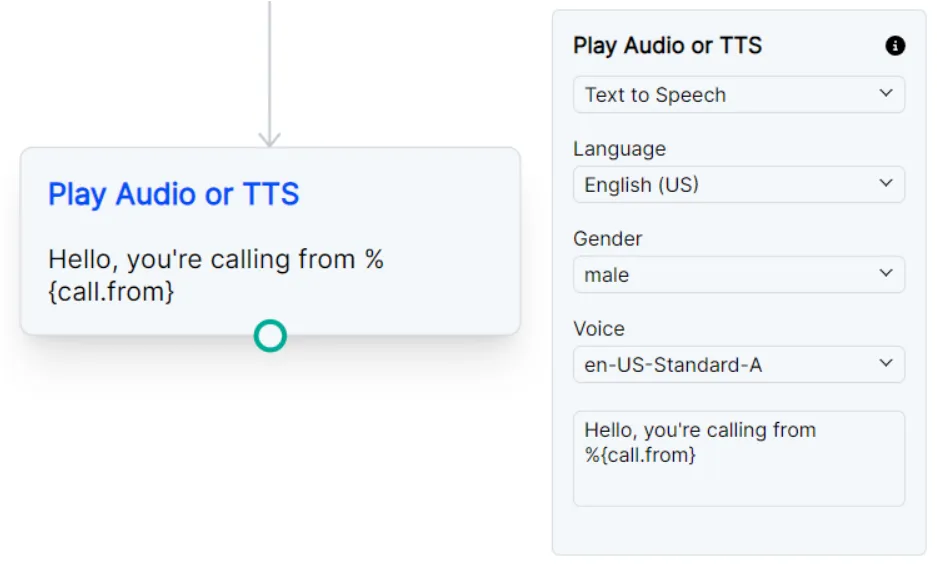
Play Audio or TTS
This node allows you to play an audio file, play silence, play a ringtone, or play text-to-speech.
Node Settings
Text to Speech
Text to Speech node options. See Text to Speech Settings.
Play Audio File
Play Audio file node options. See Play Audio File Settings.
Text to Speech Settings
Node options for Text to Speech.
Language
The language to use for the text-to-speech.
Gender
The gender of the voice to use for the text-to-speech.
Voice
The voice to use for the text-to-speech.
Please note that any voices that show (premium) next to the name will be billed at the Premium TTS rate.
Text
The text to convert to speech. SSML can be used to customize the speech. The text can also include variables to be replaced with the variable value.
SSML Example: <speak>Here is a <say-as interpret-as="characters">SSML</say-as> example</speak>
Variables Example: Hello, you got a call from %{call.from}
Play Audio File Settings
Node options for Play Audio File.
Audio File
A URL of a audio file to play.
Additionally a ringtone or silence can be played over the call.
Ringtone Format: silence:<time in seconds> (ex: silence:5)
Silence Format: ring:<time in seconds><ringtone code> (ex: ring:5:jp)
Example