Gather Input
This node is used to gather input from the caller using DTMF or speech recognition. During the gather period, the call can use an audio file or text-to-speech to prompt the caller to enter the input.
Multiple input options can be configured to gather multiple pieces of information from the caller using the Add option button.
Additionally, actions can be taken based on the input received.
For every input option you can configure, an output node connection will be created to handle the input received.
Output Node Connectors
Input Option
The output node connector for the first input option configured. This connector will be used when the input received matches the input option. Additional output node connectors will be created for each input option configured.
Unknown
The output node connector for when the input received does not match any of the input options configured.
No Input
The output node connector for when no input is received from the caller.
Node Settings
Text to Speech
Configure the text-to-speech settings for the gather input node. See Text to Speech Settings.
Audio File
Configure the audio file settings for the gather input node. See Audio File Settings.
Text to Speech Settings
Language
The language to use for the text-to-speech.
Gender
The gender of the voice to use for the text-to-speech.
Voice
The voice to use for the text-to-speech.
Text
The text to convert to speech.
Wait for Input
The amount of time to wait for the caller to enter input.
Possible Values: A number between 1-99 is required.
Wait for Digits
The amount of time to wait for the caller to enter input.
Possible Values: A number between 1-99 is required.
Input Options
The input options to gather from the caller. Additional options can be added through the Add option button inside the node. See Input Options.
Audio File Settings
Audio File
The URL of a audio file to play to the caller.
Input Options
The input options to gather from the caller. Additional options can be added through the Add option button inside the node. See Input Options.
Input Options
Caller presses
The DTMF key that the caller must press to select this input option.
Possible Values: A value of 0-9, *, or # is required.
Or says
The speech recognition value that the caller must say to select this input option.
Examples
Simple Input
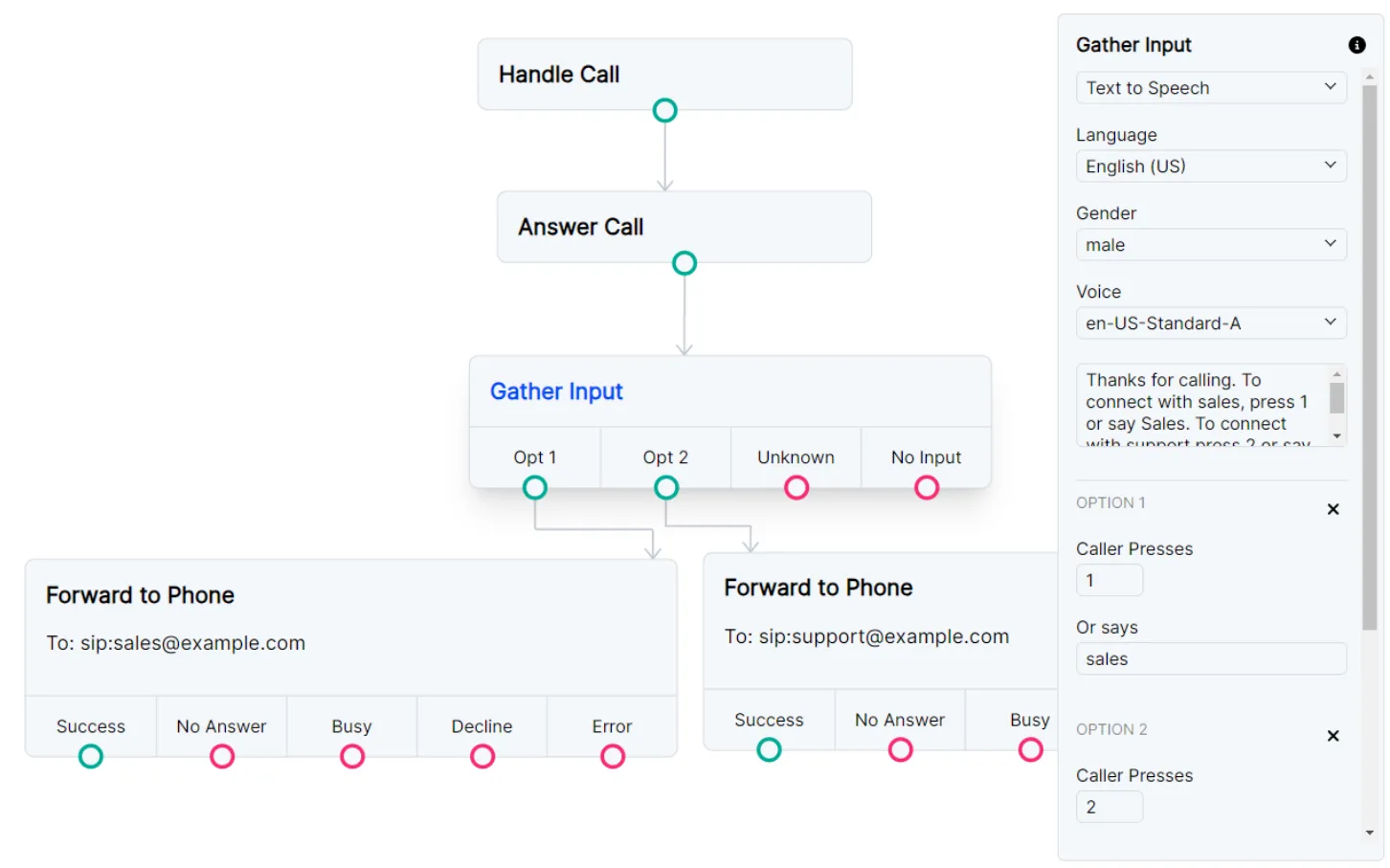
You can choose to accept both Speech and DTMF tones with your IVR. The caller in this example can either press 1 or say “sales” to connect with the sales line.
Input with infinite loop prevention
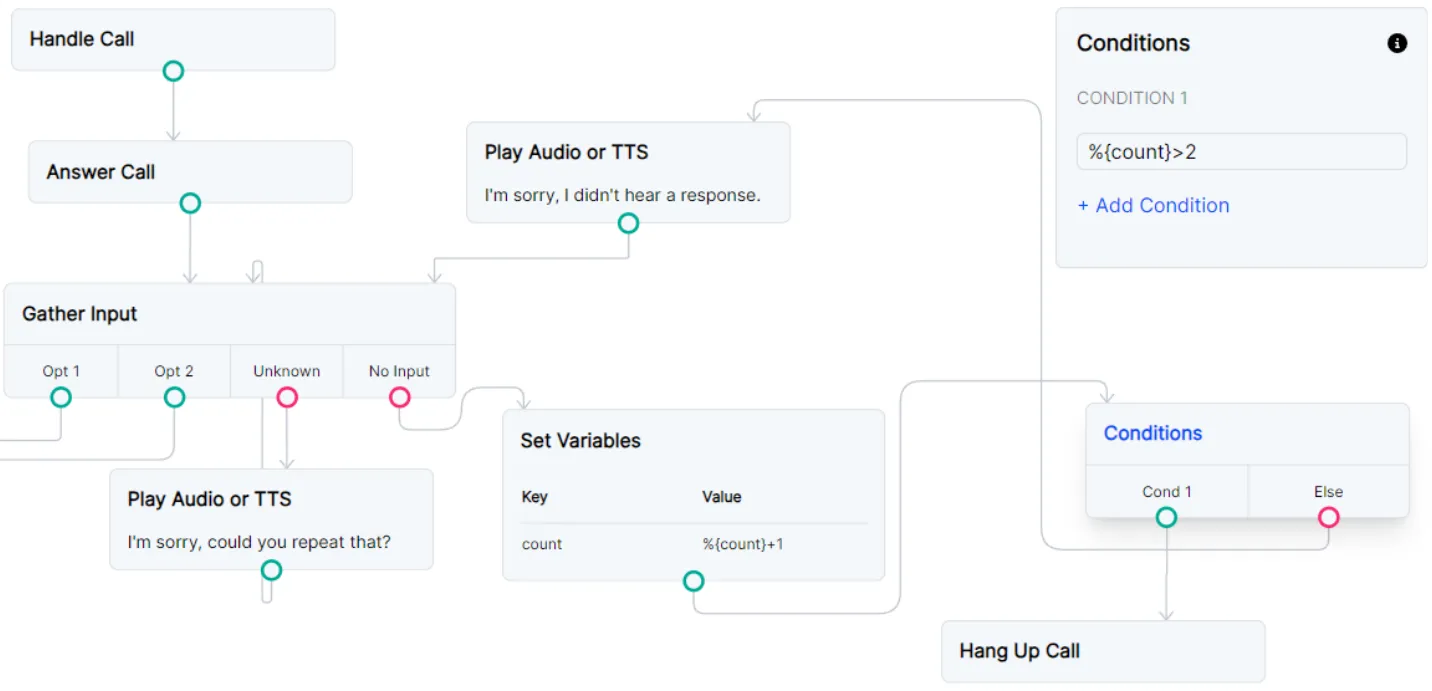
If you plan to loop your “No Input” route, you probably want to disconnect a call if the Gather Input node attempts to loop the call more than 2 times. You can do that with a combination of a Set Variables node and a Conditions node. If a caller dials your number and sits on the line in silence, your Flow will disconnect the call after a couple of loops.
Accept any speech option
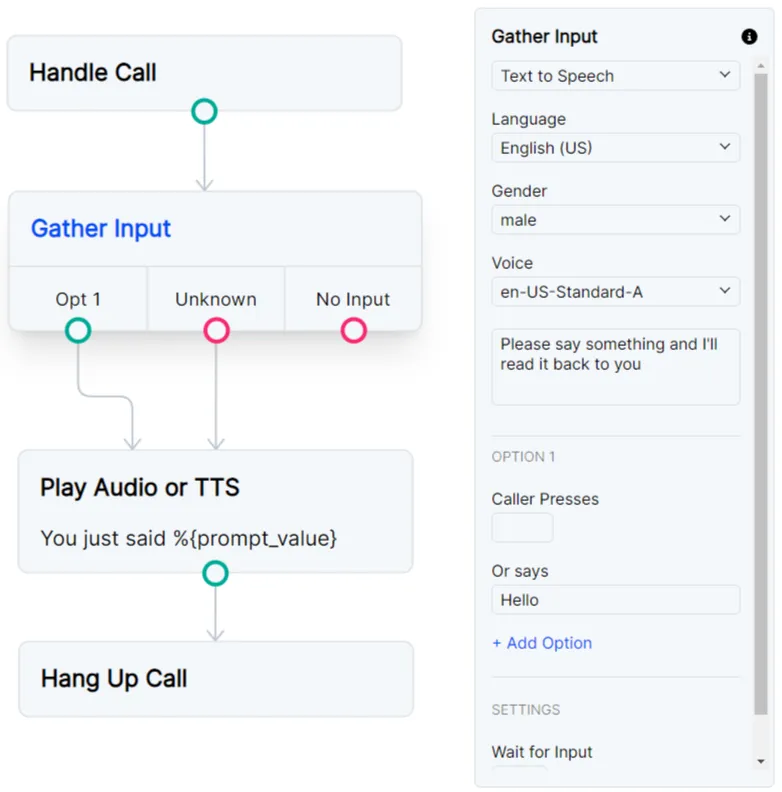
The “Unknown” route from the Gather Input node can be useful if you want to accept any and all speech recognition from your caller. A word or phrase is required in your Option 1 “Or Says” field so that your Gather Input node knows it is collecting speech.
You can route that option to the same flow as the “Unknown” route so all speech options continue the same path.
The variable %{prompt_value} can then be used in any node and will contain all speech that was detected.