Voicemail Recording
This node uses the asynchronous recording method to record a voicemail.
Reference the recording URL in other nodes in the Flow using the variable %{record_url}.
You can also access the recording URL from the call log details in your Relay Space.
Node Settings
Stereo
Record in stereo. Toggle this on to separate the two legs of the call recording into left and right channels.
Default Value: Toggled Off
Beep
Play a beep before recording starts.
Default Value: Toggled Off
Terminators
DTMF digits that will stop the recording. Multiple DTMF tones can be added by being seperated by a comma.
Default Value: None
Possible Values: Digits 0-9, *, #
Maximum Recording Length
The maximum length of the recording in seconds.
Possible Values: 1-3600 seconds
Initial Timeout
The time in seconds to wait for the first DTMF digit before starting the recording.
Possible Values: 1-99 seconds
End Silence Timeout
The time in seconds to wait for the end of the call before ending the recording.
Possible Values: 1-99 seconds
Format
The format of the recording.
Possible Values: wav, mp3
Examples
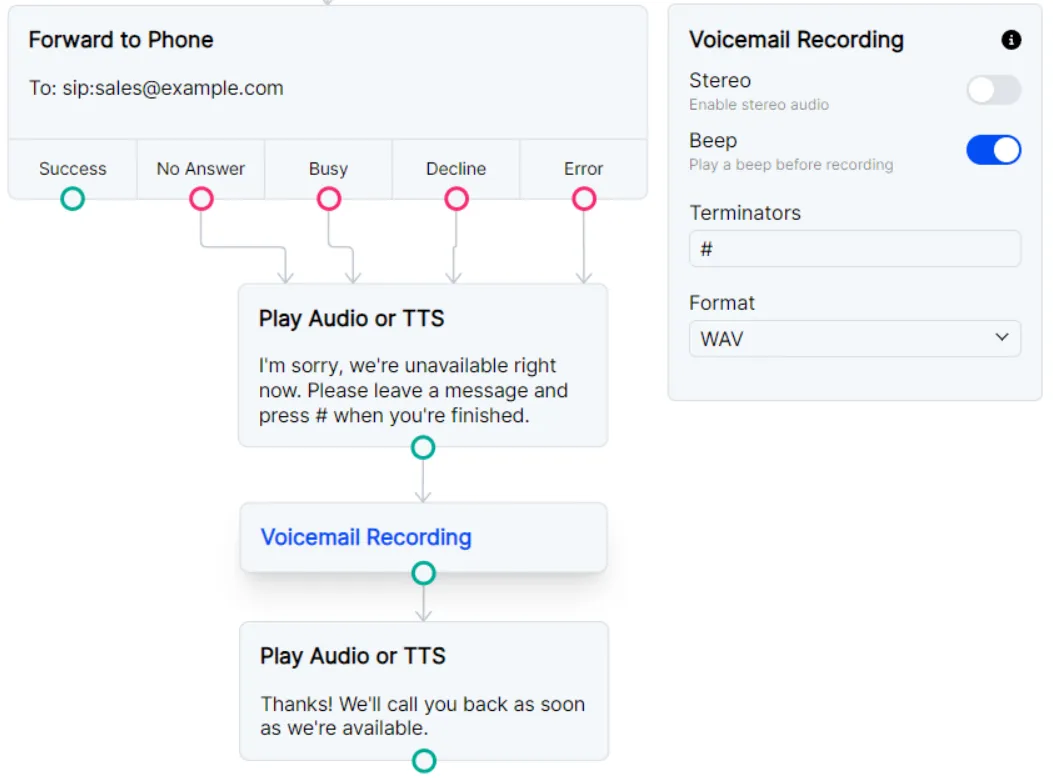
Simple voicemail with goodbye message
For a traditional voicemail experience, we recommend pairing the Voicemail Recording node with a
Play Audio or TTS node and including a beep before recording.
Including a terminator (in this case, a # sign) will allow nodes to run after the caller is finished leaving their voicemail.
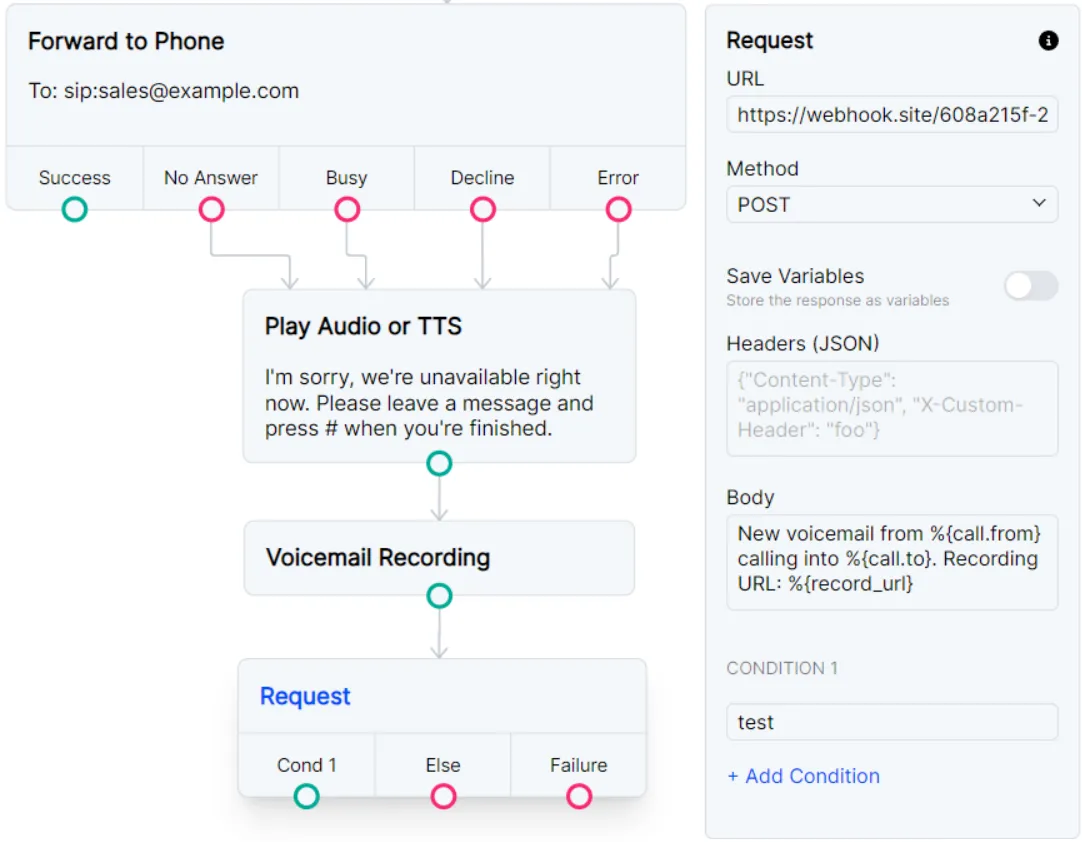
Record voicemail and send recording URL as a POST request
You can pair this node with a Request node to send the recording URL to the webhook of your choice.
Please note that any later recordings in the Flow will overwrite the %{record_url} variable,
so the Request node should immediately follow this Voicemail Recording node or use
Set Variables to save this URL for a later request.
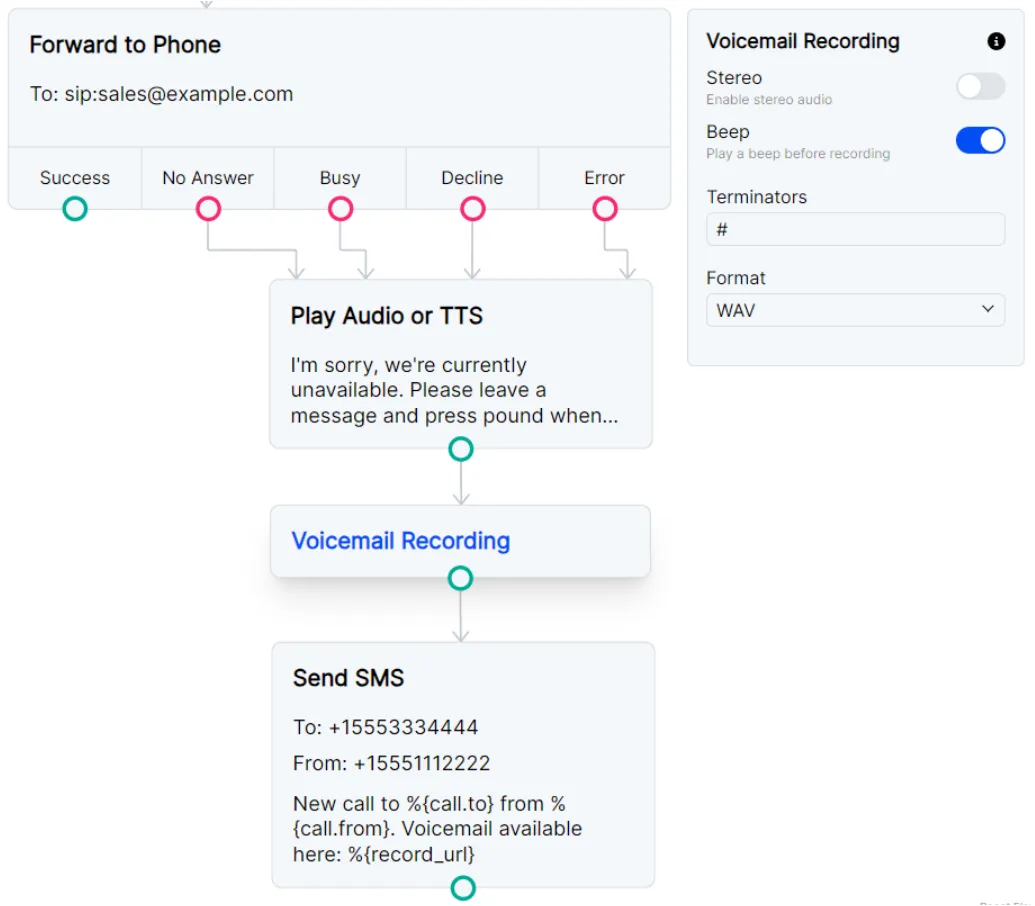
Record voicemail and send recording URL as SMS
You may want to be notified about a new voicemail with an SMS.
You can follow the Voicemail Recording node with a Send SMS node and again access call data and the recording URL with
the {call.} and {record_url} variables.