***
id: ac6af178-0fd6-4e1a-962c-07f27295d435
title: Play Audio or TTS
description: Call Flow Builder node to play audio or TTS to the caller.
slug: /reference/play-audio-or-tts
max-toc-depth: 3
----------------
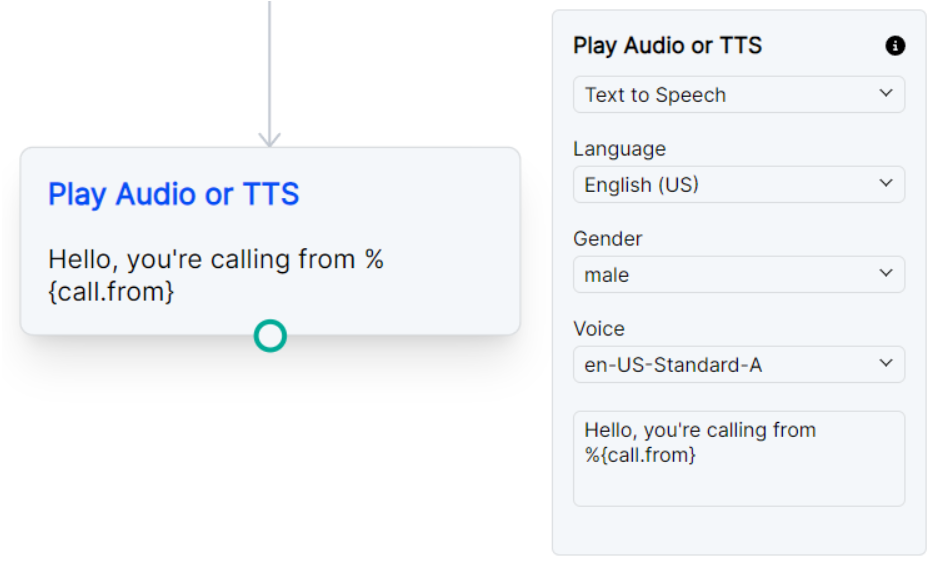
This node allows you to play an audio file, play silence, play a ringtone, or play text-to-speech.
## **Node Settings**
Text to Speech node options. See [Text to Speech Settings](#text-to-speech-settings).
Play Audio file node options. See [Play Audio File Settings](#play-audio-file-settings).
### Text to Speech Settings
Node options for Text to Speech.
The language to use for the text-to-speech.
The gender of the voice to use for the text-to-speech.
The voice to use for the text-to-speech.
Please note that any voices that show (premium) next to the name will be billed at the [Premium TTS rate](https://signalwire.com/pricing/voice).
The text to convert to speech. [SSML](https://cloud.google.com/text-to-speech/docs/ssml) can be used to customize the speech. The text can also include [variables](/docs/call-flow-builder/reference/set-variables) to be replaced with the variable value.
**SSML Example:** `Here is a SSML example`
**Variables Example:** `Hello, you got a call from %{call.from}`
### Play Audio File Settings
Node options for Play Audio File.
A URL of a audio file to play. Additionally a [ringtone](/docs/server-sdk/node/reference/voice/types#ringtonename) or silence can be played over the call.
**Ringtone Format:** `silence:
## Example