Request
This node will allow you to make a GET, POST, PUT, or DELETE request to the specified URL.
The response can be accessed in later nodes with %{request_response_body}, and if you choose to save the response fields
as variables, you can reference them with %{request_response.<object_field>}.
It is important to note that later Request nodes will overwrite the %{request_response} variables,
so either use them immediately or store them with a Set Variables node.
Output Node Connectors
Condition
User-defined success condition. The condition can be based on the requests response body in the following format: %{request_response.<object_field>}. Additional conditions can be added by clicking the Add condition button, which will create a new connector.
Else
The default output connector when the condition is not met.
Failure
The output connector when the request fails.
Node Settings
URL
A public URL to make the request to.
Method
The HTTP method to use for the request.
Possible Values: GET, POST, PUT, DELETE
Headers
A list of headers to include in the request. Each header should be in JSON format { key: value }
Example: { "Content-Type": "application/json", "X-Custom-Header": "foo" }
Body
The body of the request. This field can be used to send any string or JSON data that can be serialized.
Example: {"user": { "id": 123, "role": "admin", "isActive": true }}
Examples
Using webhook.site to test requests
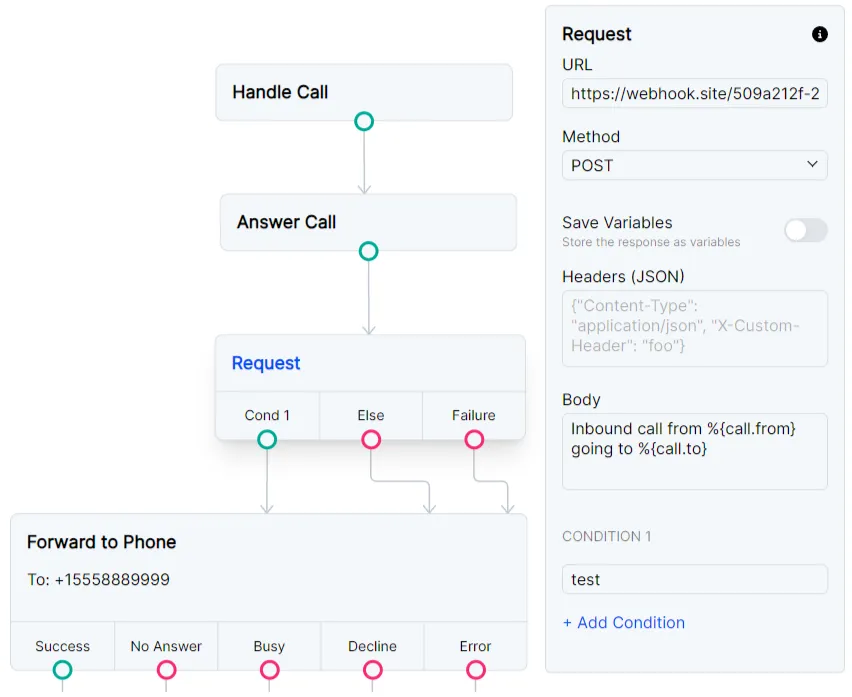
You can test the Request node with webhook.site. In the Request node, use the unique URL provided by webhook.site and copy the Body of the example below. You will get a POST to your webhook with details about the incoming call.
Route a call based on a request to check time
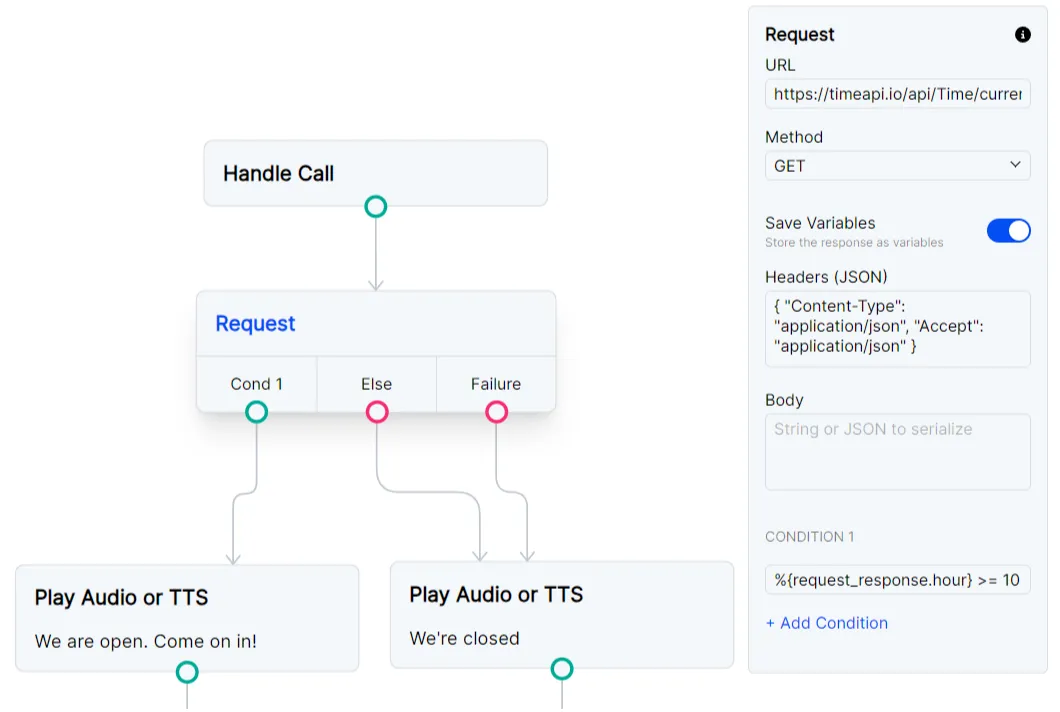
You may want your Flow to behave differently depending on the time of day. You can use timeapi.io to request the current time. This example uses an IANA timezone to look up the time and sets Cond 1 to:
%{request_response.hour} >= 10 &&%{request_response.hour} < 20.
If the time is between 10am and 8pm, the success condition TTS will play. If a condition is not met, the call will be routed to the Else connector, which
will play the TTS node. If the request fails, the call will be routed to the Failure connector, which will also play the TTS node.