***
id: 147c8b5b-55b6-4990-806e-be1c9b6df86b
title: Voicemail Recording
description: Call Flow Builder node to record voicemail messages.
slug: /reference/voicemail-recording
max-toc-depth: 3
----------------
This node uses the asynchronous recording method to record a voicemail.
Reference the recording URL in other nodes in the Flow using the variable `%{record_url}`.
You can also access the recording URL from the call log details in your [RELAY Space](https://my.signalwire.com?page=relay).
## **Node Settings**
Record in stereo. Toggle this on to separate the two legs of the call recording into left and right channels.
**Default Value:** `Toggled Off`
Play a beep before recording starts.
**Default Value:** `Toggled Off`
DTMF digits that will stop the recording. Multiple DTMF tones can be added by being seperated by a comma.
**Default Value:** `None`
**Possible Values:** Digits `0-9`, `*`, `#`
The maximum length of the recording in seconds.
**Possible Values:** `1-3600` seconds
The time in seconds to wait for the first DTMF digit before starting the recording.
**Possible Values:** `1-99` seconds
The time in seconds to wait for the end of the call before ending the recording.
**Possible Values:** `1-99` seconds
The format of the recording.
**Possible Values:** `wav`, `mp3`
## **Examples**
### Simple voicemail with goodbye message
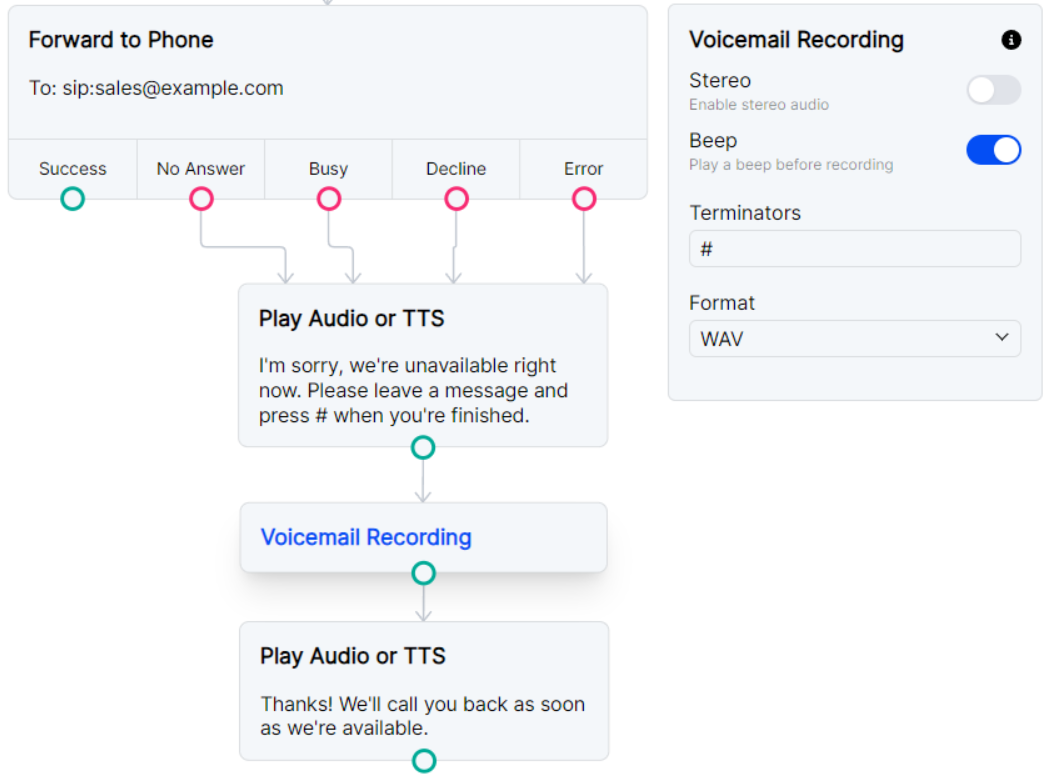
For a traditional voicemail experience, we recommend pairing the Voicemail Recording node with a
[Play Audio or TTS](/docs/call-flow-builder/reference/play-audio-or-tts) node and including a beep before recording.
Including a terminator (in this case, a `#` sign) will allow nodes to run after the caller is finished leaving their voicemail.
***
### Record voicemail and send recording URL as a POST request
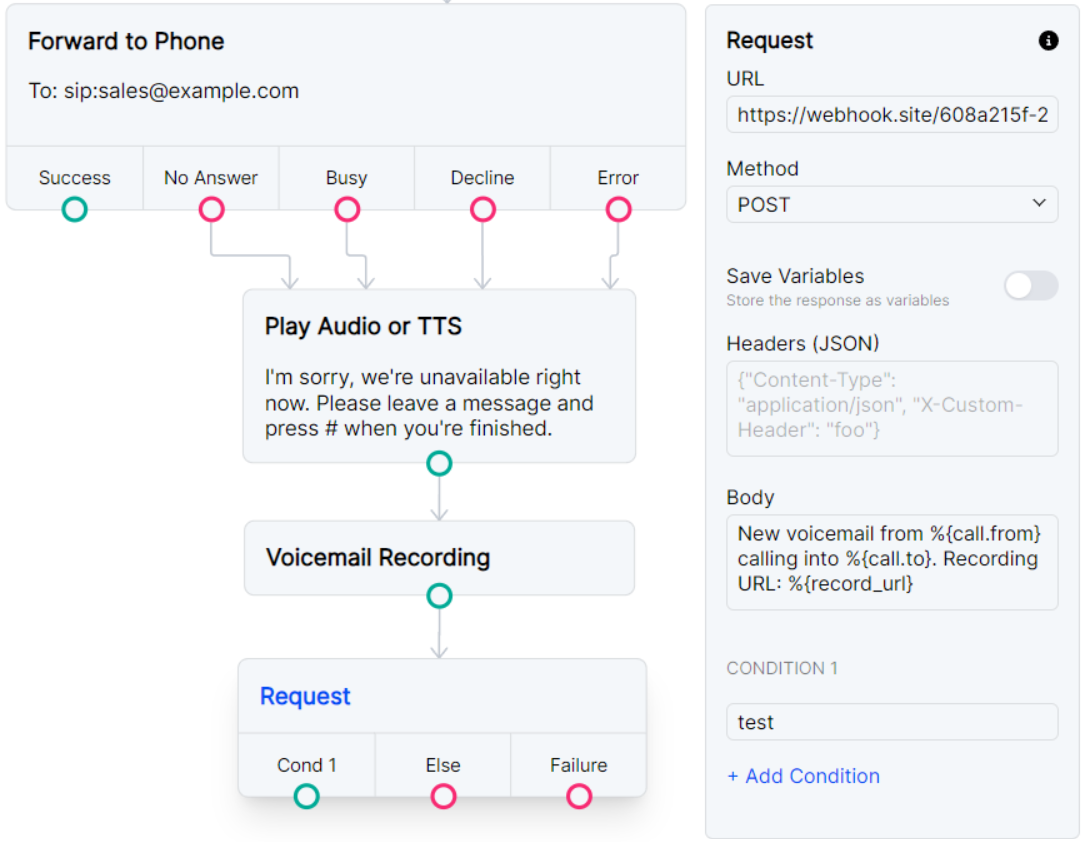
You can pair this node with a [Request](/docs/call-flow-builder/reference/request) node to send the recording URL to the webhook of your choice.
Please note that any later recordings in the Flow will overwrite the `%{record_url}` variable,
so the Request node should immediately follow this Voicemail Recording node or use
[Set Variables](/docs/call-flow-builder/reference/set-variables) to save this URL for a later request.
***
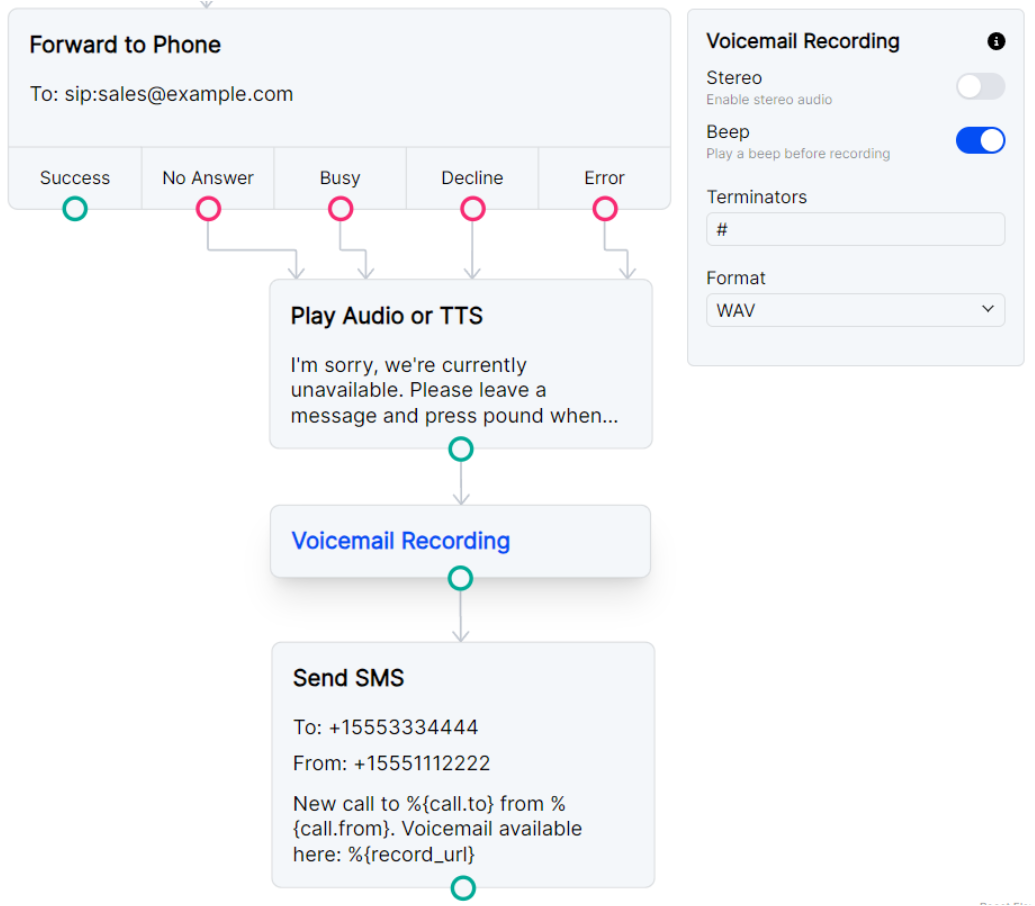
### Record voicemail and send recording URL as SMS
You may want to be notified about a new voicemail with an SMS.
You can follow the Voicemail Recording node with a Send SMS node and again access call data and the recording URL with
the `{call.}` and `{record_url}` variables.