SignalWire AI Agent Builder lets you create an AI voice agent with no code using a drag-and-drop interface. This guide explains how the no-code builder works, and how to configure an agent step by step, including name, voice, personality, skills, conversation flow, and connecting the agent to a SignalWire phone number so it answers calls automatically. It also shows how to test and iterate on prompts and behaviors after deployment.
What is an AI voice agent?
An AI voice agent is a powerful tool that allows you to build smarter voice applications with conversational AI. Instead of programming and pre-defining all the possible actions it can take, you feed the AI plain text instructions to give it some context, and watch as it does the rest of the work in handling incoming calls.
In order to build AI applications that scale reliably, you are going to need code: either SignalWire Markup Language (SWML) or Python. Luckily, you can use tools like the SignalWire Claude Code Skill to make this process easier.
But if you're looking for a simple AI agent to handle a smaller number of calls or just to handle your personal call flows, you can use SignalWire to create them without the need for extensive code. In this post, we'll go over how that works.
The no-code AI agent builder
SignalWire AI Agent Builder allows for no-code development of a virtual assistant or an AI receptionist that can route calls and perform actions like scheduling appointments.
For any business, this is a fantastic replacement for an IVR. First impressions are paramount; robotic, repetitive IVRs that make it difficult to reach the person you need to speak with can lead to caller frustration, and even giving up on the call.
What used to be a project that would require engineering expertise can now be achieved with an easy-to-use drag-and-drop interface. In this post, we will walk through how I built my own AI virtual agent with no coding experience. I’ll show you how much you can create with no code in SignalWire’s new builder, and demonstrate what my voice assistant can accomplish.
Building your first AI voice agent
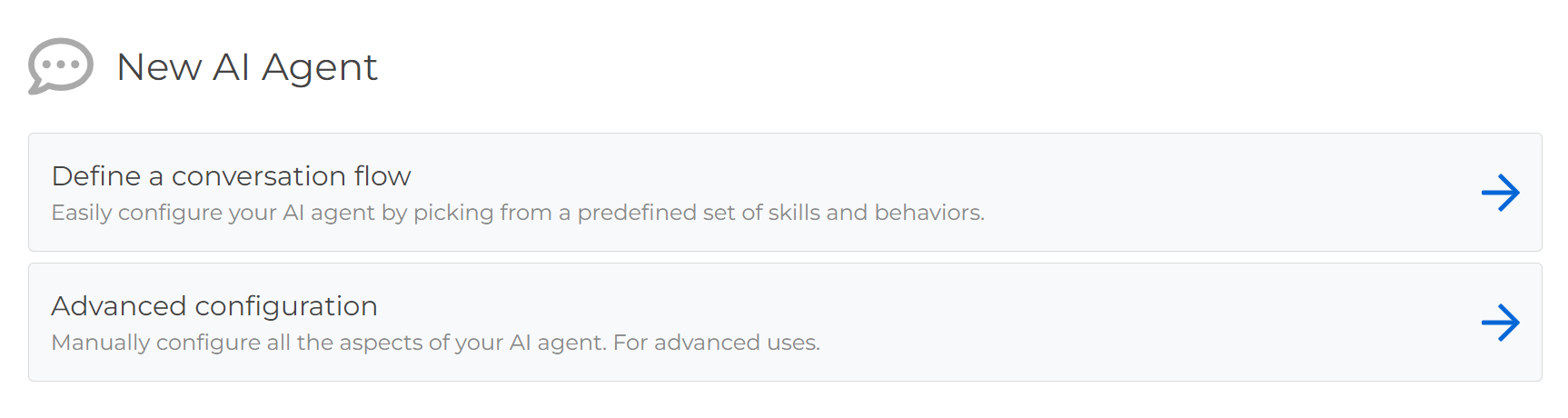
To begin, head over to AI Agents in your SignalWire space. Under +Add new, select Define a conversation flow to configure an agent with the builder using pre-defined templates. (If you would prefer to code your own, Advanced configuration gives you that option.)
Step one: name and personality
The first step in the process of creating an AI voice assistant is defining the agent’s name, personality, and voice. Name the agent anything you like - at SignalWire, we like to humanize the agents by giving them real names. In the introduction section, you can define their role in a few short sentences. Voice and personality will be chosen from a dropdown menu.
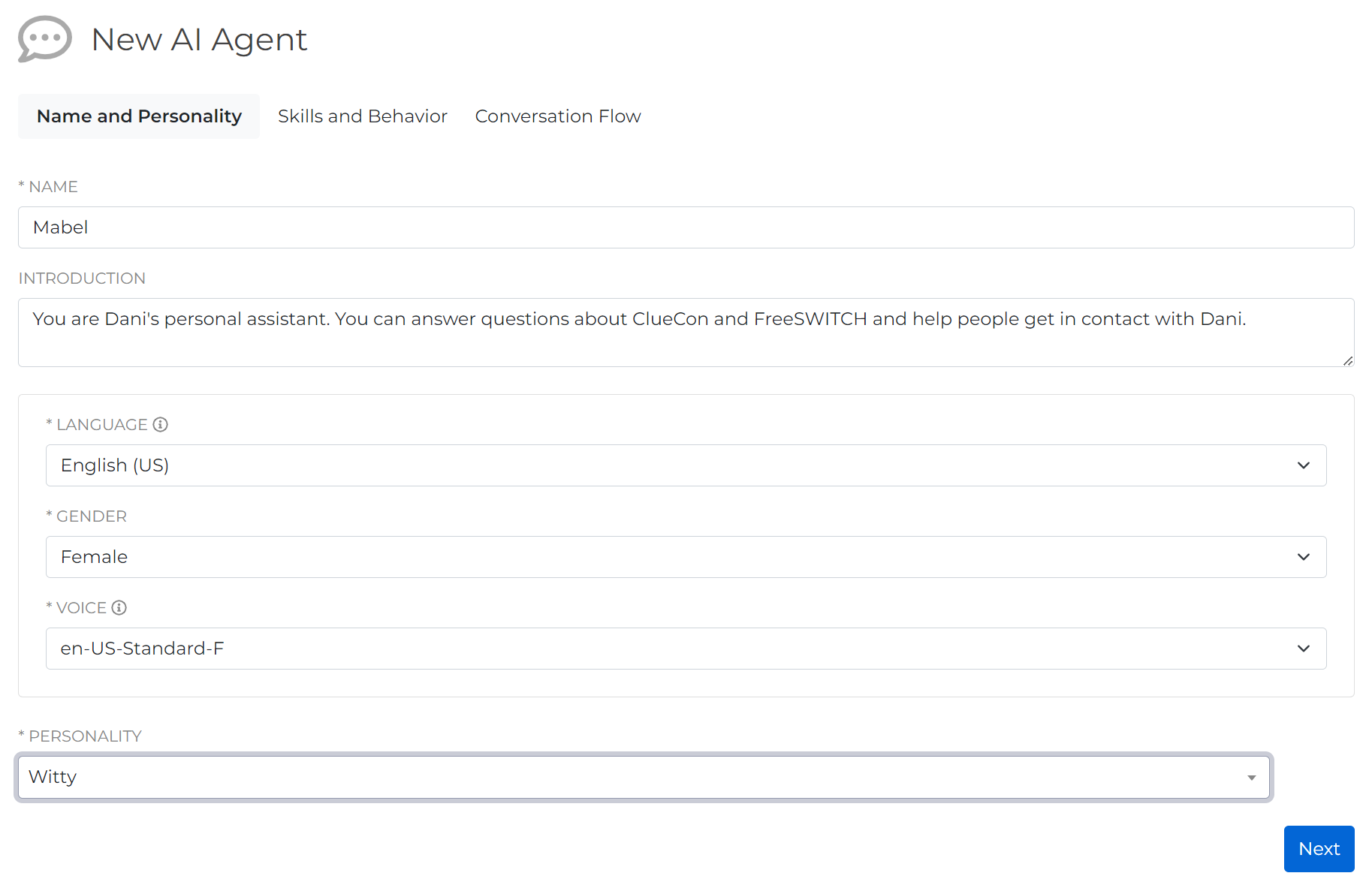
To test out the voices before choosing one, hover over the info button next to VOICE and click on the link to Google Cloud Voices docs.
Because I’m building a personal AI assistant for myself, I’ve decided to go with a witty personality.
Step two: skills and behaviors
Next, use the drag-and-drop interface to order and define the AI Agent’s skills and behaviors.
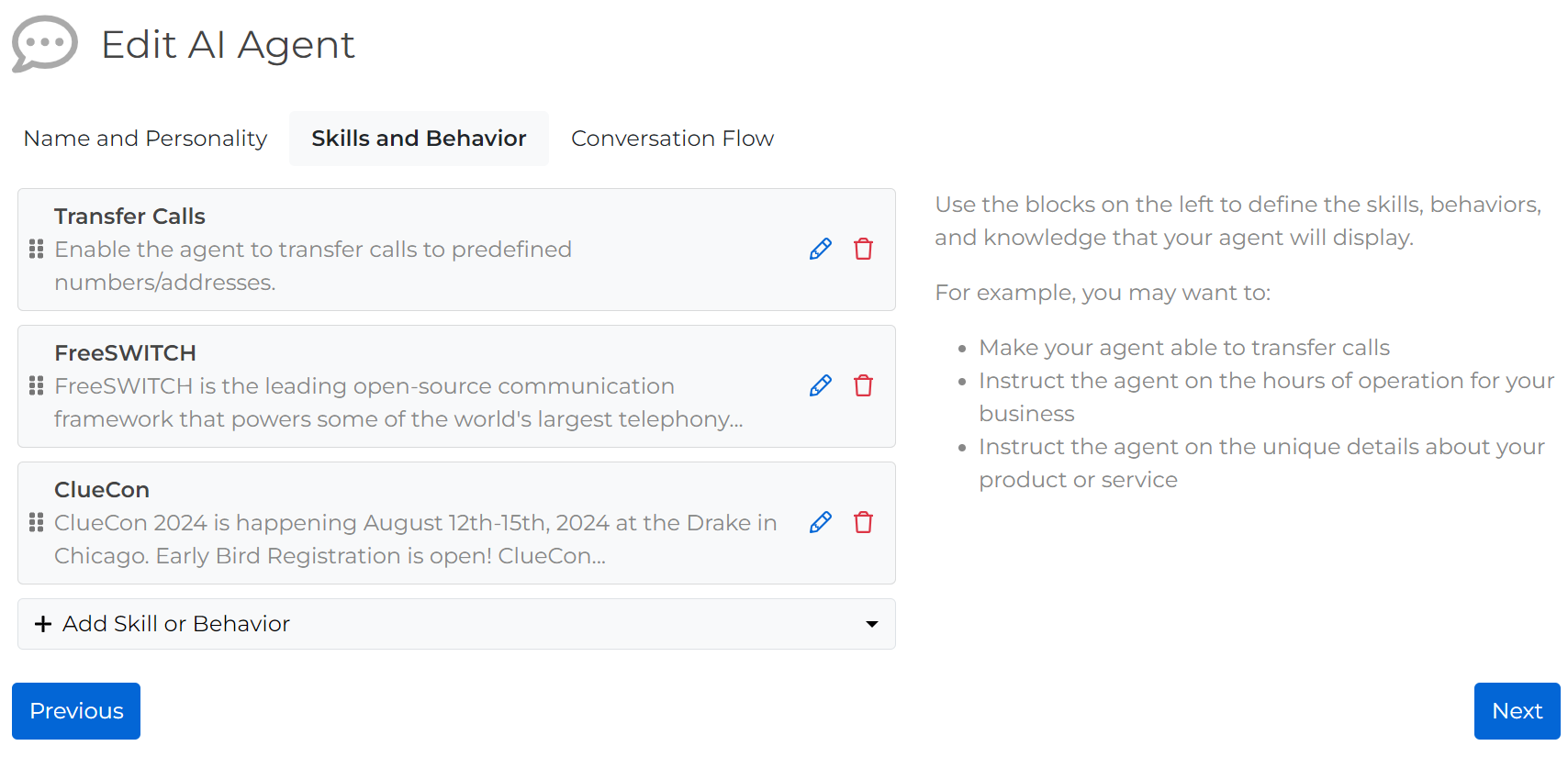
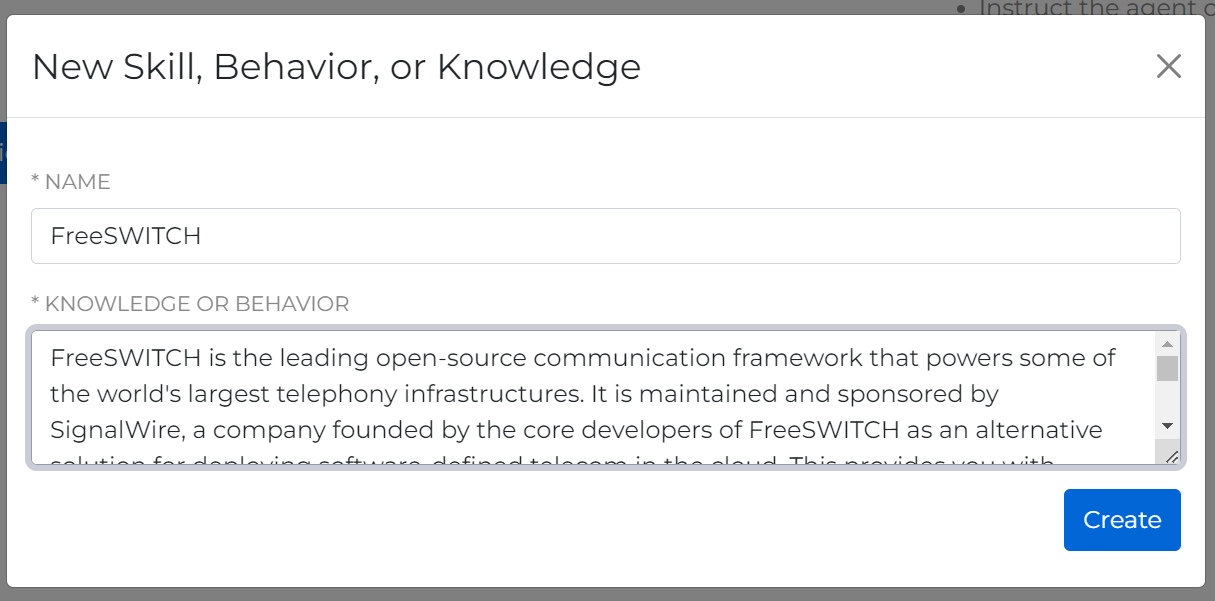
The more details you add, the more detail the AI agent will pull directly from your instructions. For my example, I’m keeping it relatively simple.
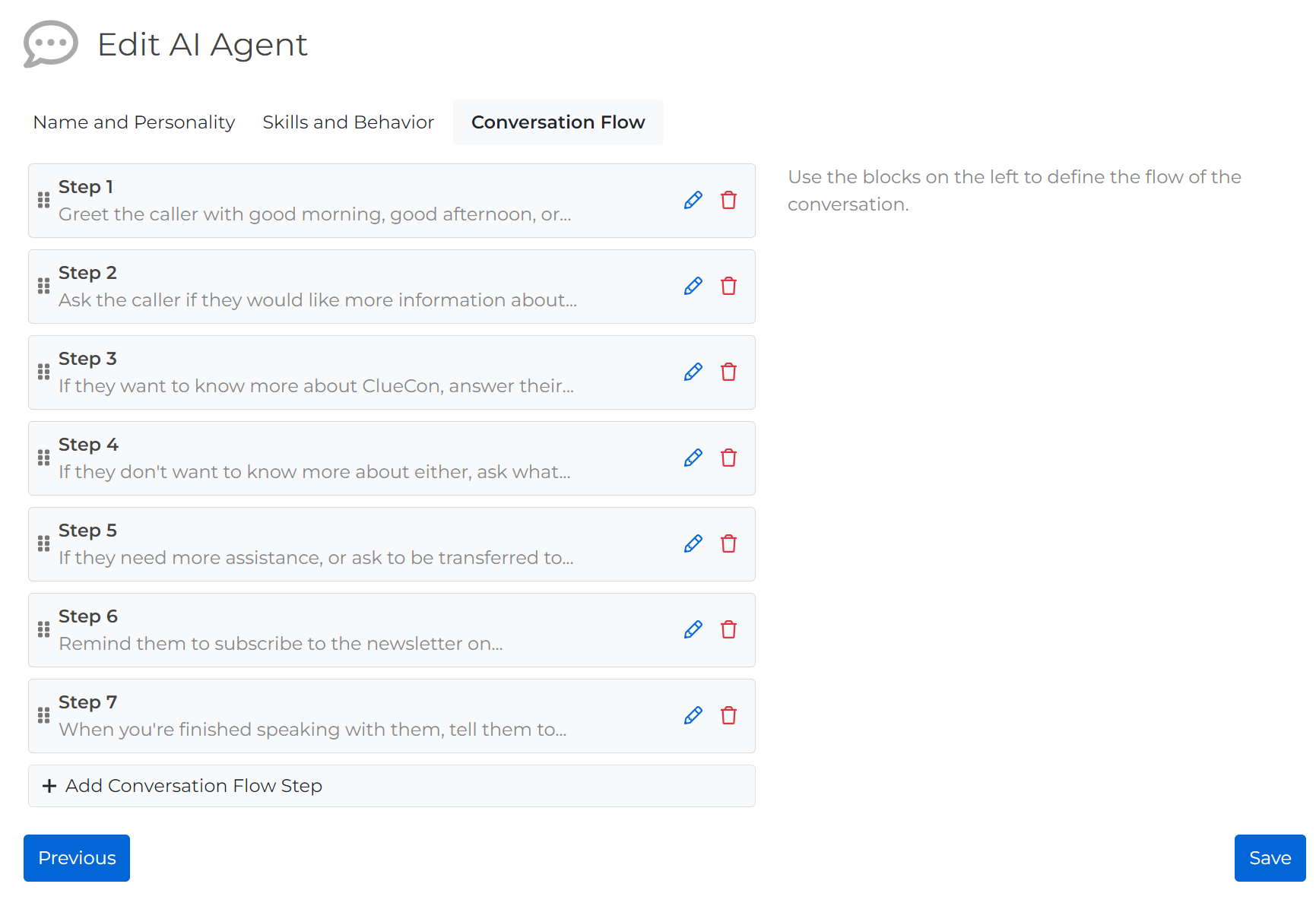
Step three: conversation flow
Next, define the conversation flow. Give your AI some details about how to direct the conversation with a caller. This is the place to define how they greet the caller, and what they should discuss first, if anything. If there is anything specific you do not want the AI agent to do, define it here. Otherwise, the AI will take many liberties in talking with incoming callers.
I instructed my agent that she’s focused on FreeSWITCH community related topics. This will allow her to redirect the conversation if someone calls in with something off-topic.
For the most simple deployment, you can edit a phone number directly to handle calls using an AI agent. However, to add additional functions into your call flow, you can use the AI agent within Call Flow Builder to further define your call flows. In the video demo below, our Associate Product Marketing Manager, Chelsea, demonstrates how to do this.
Step four: configuring a phone number
I have no need for a more complicated call flow. I want to make it so that as soon as a person calls a certain phone number, the AI agent immediately takes over the call. Under phone numbers in the left hand sidebar, purchase a new phone number if you have not already done so, and then edit your chosen number.
Under handle calls using, select an AI Agent, choose the appropriate AI agent from the dropdown, and save.
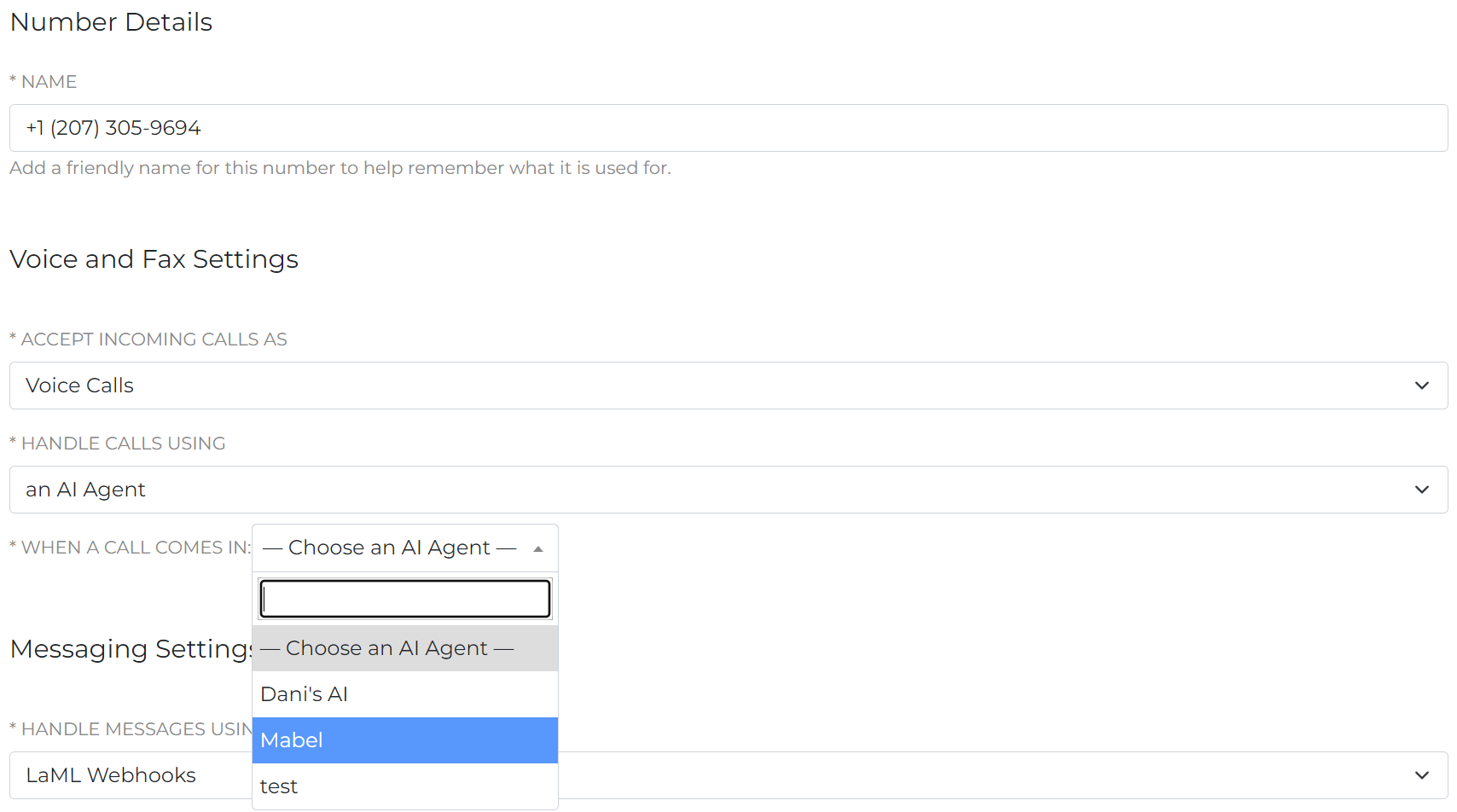
Now your agent is ready to test!
To learn how my personal AI assistant works, give Mabel a call at 1 (207) 305-9694. You can see for yourself how even though I gave her minimal details about FreeSWITCH and ClueCon, she is still able to come up with detailed answers on the fly. If you try to talk to her about anything else, she will redirect the conversation to FreeSWITCH.
When testing out your AI agent, it’s easy to go back at any time and edit details. If you need to update anything seasonally or completely change the agent’s parameters, you can do so in a matter of minutes.
We always recommend performing multiple tests of your AI agent, especially if there are specific behaviors you expect or want it to avoid. It’s quick and simple to update the agent’s descriptions, test various settings, or update instructions at any time, even after deployment.
Get started for free
The new drag-and-drop interface for SignalWire AI Agent allows you to give your AI voice assistant a name and personality, customize actions and behaviors, and map out your call flow all in one place.
Implement the power of AI with no code and make use of the latest voice technologies to advance your customer service operations into the future.
Get started with our no-code AI agent builder today. Sign up for a SignalWire space or contact our sales team to learn more.
Frequently Asked Questions
What is an AI agent for voice calls?
An AI agent is a conversational voice assistant that can answer incoming calls and respond based on plain-text instructions, without requiring you to pre-program every possible action.
What is SignalWire AI Agent Builder?
SignalWire AI Agent Builder is a no-code, drag-and-drop interface for configuring an AI voice agent, including its voice, personality, skills, and conversation flow.
How do you build an AI voice agent with no code?
Create an agent in the AI Agents section of your SignalWire Space, then define the agent’s name, voice and personality, skills and behaviors, and conversation flow, then connect it to a phone number so the agent handles inbound calls.
How do you connect an AI agent to a SignalWire phone number?
Edit the phone number in your SignalWire Space, then set “handle calls using” to an AI Agent, select the agent from the dropdown, and save.
Can you use an AI agent as a replacement for an Interactive Voice Response (IVR)?
Yes. AI agents are a more natural alternative to traditional Interactive Voice Response (IVR) menus, especially when callers need a smoother path to the right destination.