SignalWire supports multiple ways to build real-time communications features, including programmable voice, video, and call automation using SDKs and APIs. This article maps common “where do I start?” paths, explains what kinds of projects you can build first, and links to starter resources for voice workflows like interactive voice response (IVR) call control, plus video options ranging from prebuilt programmable conferencing to full SDK-based implementations with deeper control.
Starting with SignalWire
Wondering where to get started with SignalWire?
Whether you’re an experienced veteran or a newbie to building communications tools, we’d like to help encourage some inspiration and give you the tools and resources you need to help start your next project. The limits of what you can build are your own imagination.
While SignalWire provides more than what can be carved up into simple categories, for the purposes of this post we’ll break it down to voice, video, messaging, and chat.
AI agents
If you want to go beyond building call flows and start building interactive, real-time experiences, AI agents are a great next step. With SignalWire, you can create fully programmable agents that listen, respond, and take actions during live conversations, then connect them to voice, messaging, video, or chat depending on your use case. These agents exist at the telecom layer, helping improve orchestration and retaining context from step to step during a live call.
Some ideas to get you started:
Voice agents for inbound calls: Answer questions, collect intent, handle common requests, and route to the right place when a human is needed.
Appointment and scheduling agents: Confirm availability, book or reschedule, and send follow-up messages.
Transactional and support automation: Trigger workflows based on what the user says, look up data, and return a grounded answer.
In-app assistants: Use chat as a two-way channel to guide users through onboarding, troubleshooting, or account actions.
Voice
The SignalWire platform provides powerful Voice APIs. Using our RELAY SDK you can quickly create Interactive Voice Response (IVR) automation. Our tools allow you to programmatically build applications that can send and receive calls, play text to speech messages or audio files, receive user dial input, detect speech start and end, and much more.
We have comprehensive documentation for all our SDKs. We have a number of in-depth guides posted to our developer portal, such as how to build a fully functional call center.
You can start experimenting with voice by following this simple example of using the SignalWire RELAY SDK to make an app that can receive calls through a SignalWire phone number and connect it to another phone number. Or, check out this detailed code sample for building a full-featured IVR.
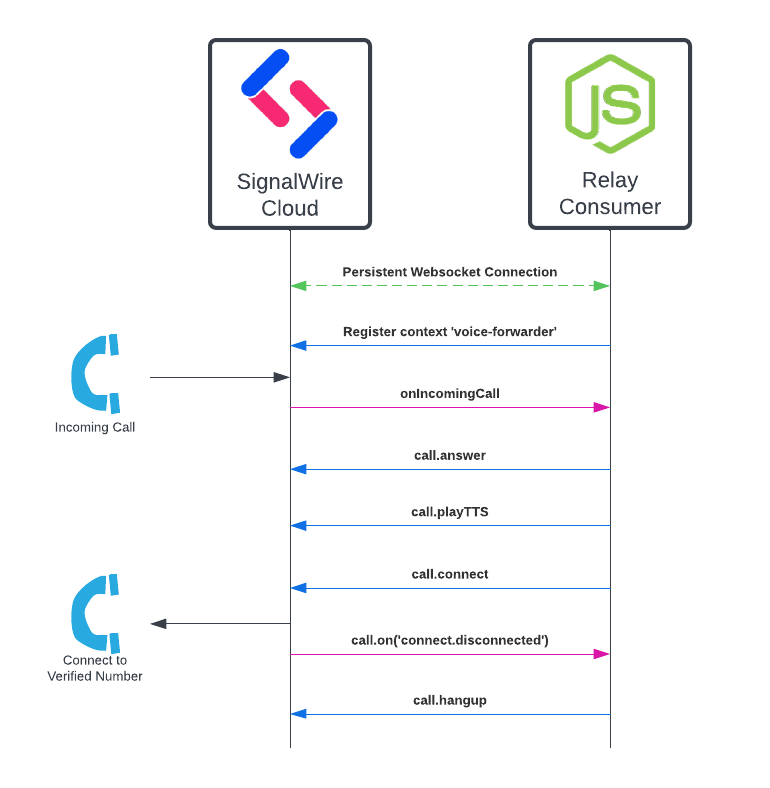
You could continue by using this example on creating a call translation and transcription service to build an automation that can serve people all over the world, regardless of what language they speak.
Video
SignalWire provides a number of paths to explore the usage of our Video services.
You can use Programmable Video Conferences if you would like something out of the box with customizability. PVC rooms can be embedded into any web app. The examples provided demonstrate how to do things like using Javascript to blur or replace the background of a camera feed and track how long each participant speaks for.
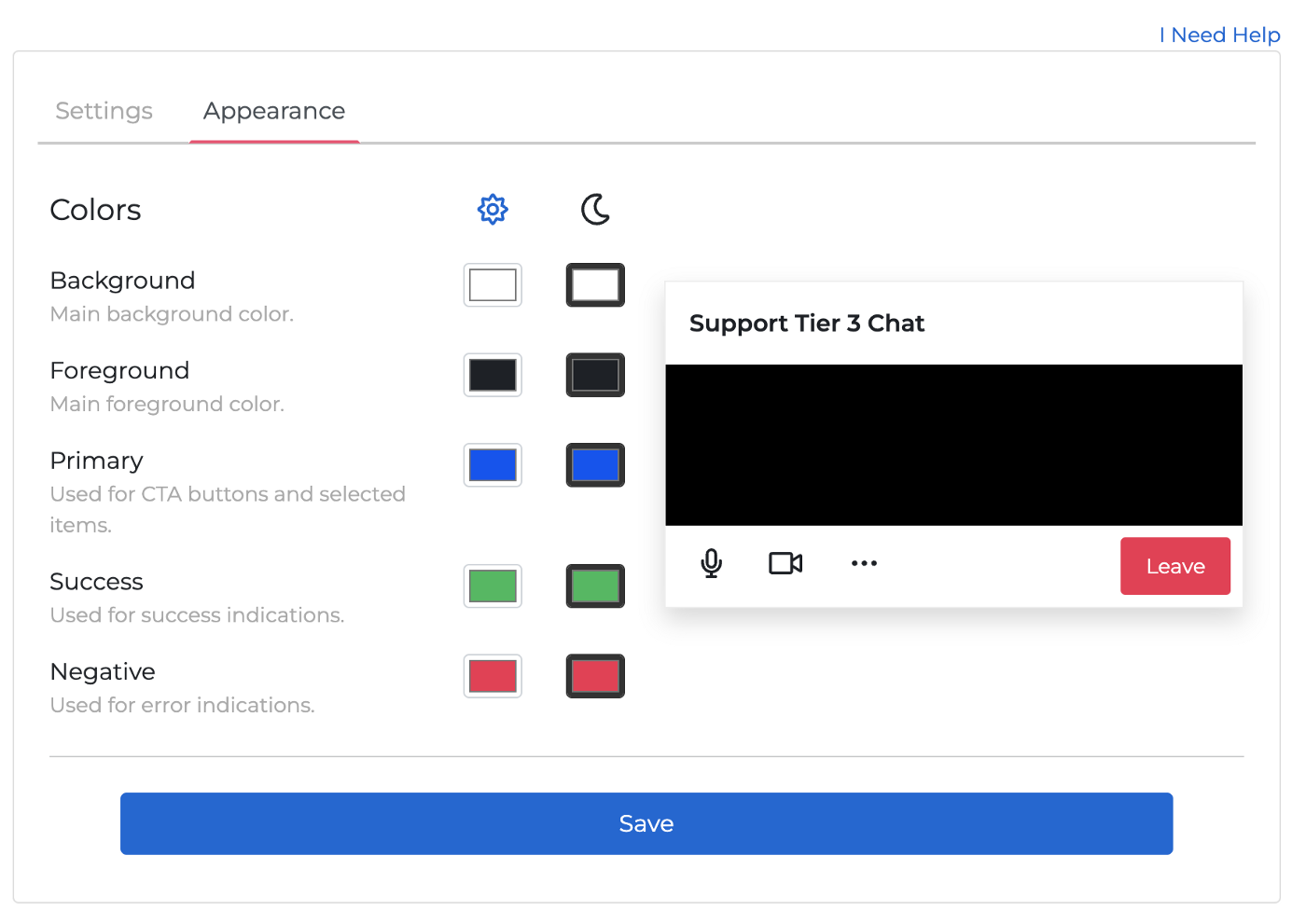
Or you can use our examples on using the Video SDK to build a full video conferencing application with absolute granular control over every feature. You can even enable room previews so that you can allow users to see what’s going on in a room before joining.

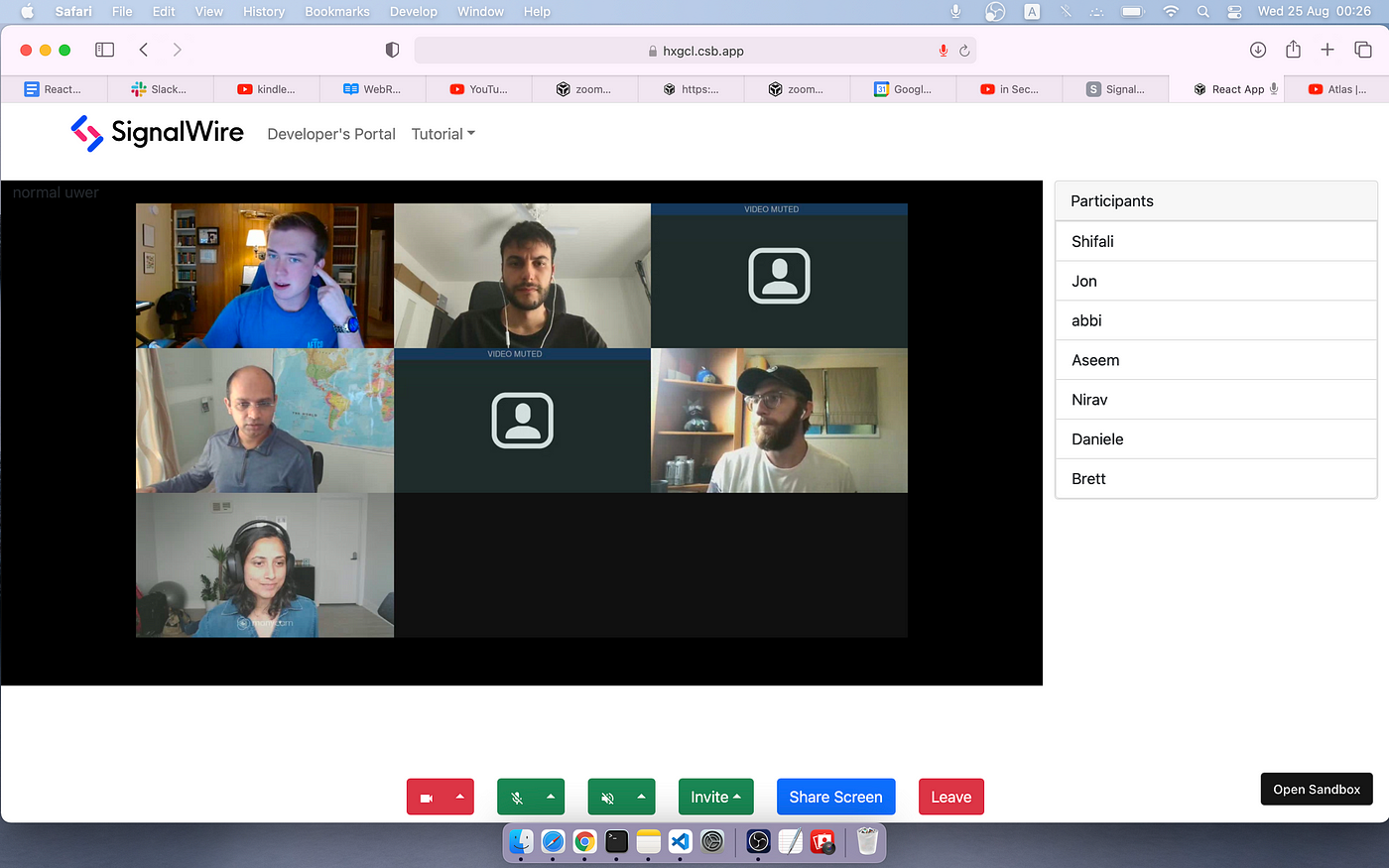
We also have a step-by-step set of instructions that will walk you through building a Zoom clone using React. It will help you understand how to create rooms, mute audio/video, change layouts, create custom overlays, and much more.
Messaging
In the same way SignalWire RELAY makes it easy to make voice calls, the same can be said about messaging. Check out our documentation on how to send and receive SMS.
Chat
Add chat to your applications. All you need is a SignalWire Space, your credentials, and Javascript. In a few lines you can easily add two way messaging for any use along with chat history.
While this is generally used for typical text chat, it can be used as an arbitrary data channel. Imagine combining this with our video or voice services to create interactive experiences — like collaborative games or sending real-time data from sensors to overlay over video.
With so many APIs and SDKs to choose from, there are endless possibilities of what can be built using SignalWire. Video, voice, and chat don’t have to be complicated things to add to an application. Through making it easier for developers, we hope that it enables you to go above and beyond your own expectations.
If you have any questions as you begin your SignalWire journey, stop by our Community Discord to connect with us and work through any questions or issues that come up along the way.
Frequently Asked Questions
What is SignalWire used for?
SignalWire is used to build real-time communications features, including programmable voice calling, AI agents, call automation, and video experiences, using SDKs and APIs that you integrate into your applications.
Where should I start if I want to build with SignalWire?
A practical starting point is to pick a channel, voice or video, then follow a small working example so you can validate credentials, phone numbers or endpoints, and event handling before you expand into more complex workflows.
How can I build an interactive voice response (IVR) with SignalWire?
You can build an IVR by using SignalWire’s real-time SDK approach for voice call control, where your application receives call events and responds with actions like playing text-to-speech, collecting keypad input, and routing calls based on caller choices.
What are my options for building video with SignalWire?
SignalWire supports video paths that range from prebuilt programmable conferencing that you can embed, to SDK-based video applications that give you more granular control over behavior and user experience.
Do I need to build everything from scratch to use SignalWire?
No. Depending on the channel, you can start with prebuilt or guided approaches, then move to SDK-level control when you need deeper customization.