SignalWire credentials are the three values you use to authenticate API requests: your Space URL, your Project ID, and an API Token. This article explains how authentication works when you log into a SignalWire Space, how authorization is handled through API Tokens, where to find these values in the dashboard, and how to reduce risk by limiting token scopes, storing tokens as environment variables instead of hard-coding them, and rotating tokens if you suspect compromise.
SignalWire has its own set of unique credentials that are used for authentication and authorization when using its APIs and SDKs. In this post, we'll discuss what SignalWire credentials are, where to find them, how to use them, and some best practices to keep them secure.
Authentication
Once you create your SignalWire Space and log in, you have effectively authenticated yourself, and this is the only authentication step. You can add more users with different roles to your account so they can authenticate themselves, but with limited capabilities. Each user can either be a regular user or an administrator.
Users cannot access any space-wide settings or join any projects they have not been added to. They only have access to projects you select.
Administrators can manage payment methods and billing settings, manage users, see all projects, and create new projects within a space.
You can read our user Management guide if you'd like to learn more about managing users in your SignalWire space.
Authorization
Once a user has logged in, they will only be able to see the projects they were given access to, and if they have access to a particular project, they can generate authorization tokens. At SignalWire we call them API Tokens because they can be used to interface with SignalWire's APIs and SDKs.
SignalWire credentials overview
SignalWire credentials include three pieces of information that you'll always need to have in hand when connecting to our APIs. They are:
Your Space URL
Your Project ID
Your API Token
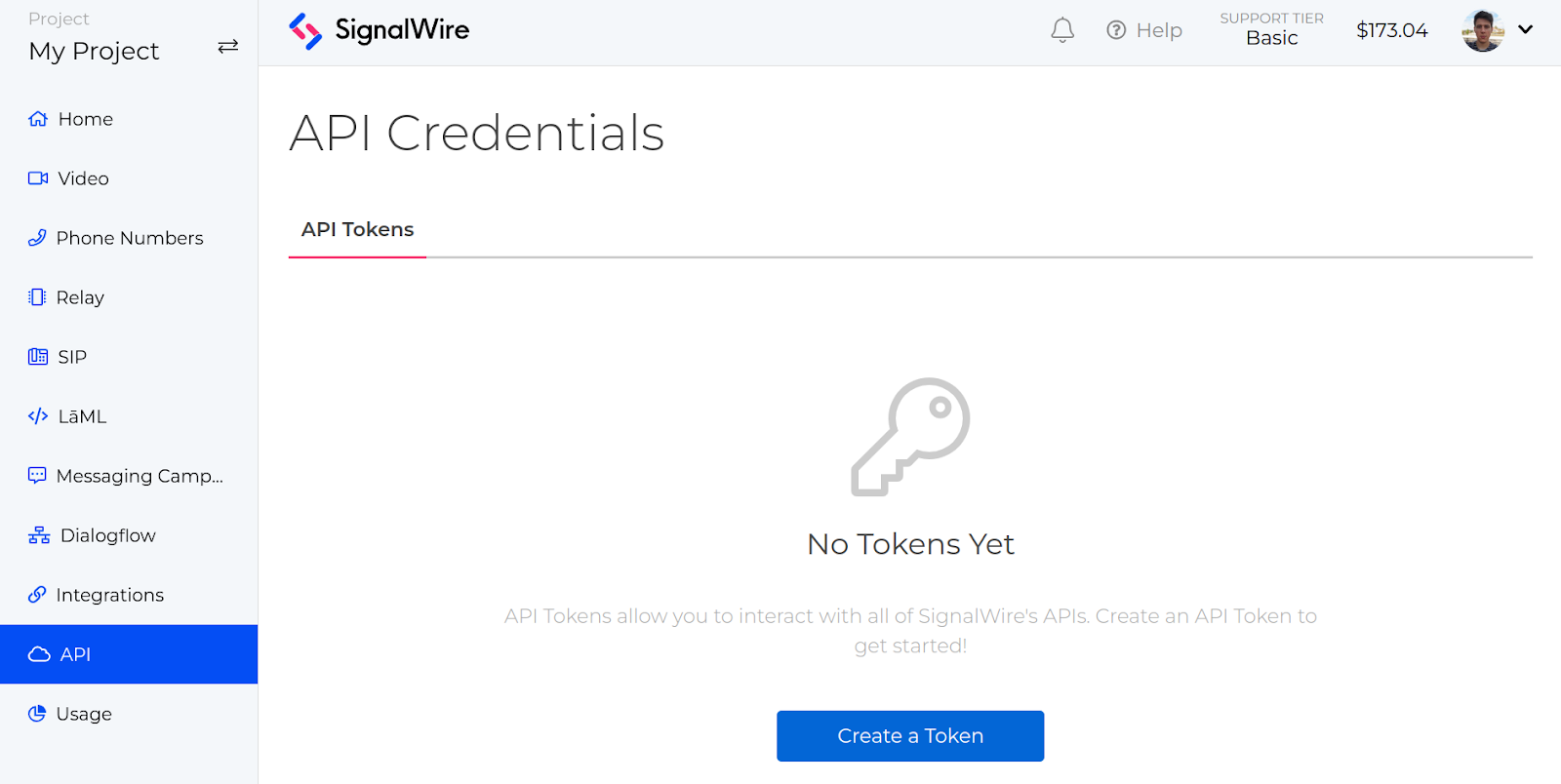
The easiest way to find your credentials is to log into your Space and navigate to the API tab in the navigation menu.

On this page, should you already have a token, you will find your Project ID, Space URL, and your API Tokens. If you need to create your first API Token, simply click on the Create a Token button, and + New when you want to create more.
SignalWire will ask you which name and permissions you would like to give to the token in question.
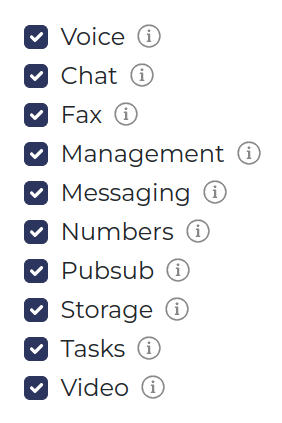
In order to keep your account safe, give the token the least amount of privileges as possible by limiting the number of scopes selected. This way, if any of your tokens are compromised, the impact will be lessened. For example, if you are developing a Video API project, you may want to reduce the scope of your API token to just Video.
Depending on which SignalWire product you are using, the way you use your credentials will vary. For example, to make a request to SignalWire’s Message Logs API, you would need all three components of your credentials. For detailed instructions for each API and SDK, you can reference individual documentation.
Your SignalWire credentials should never be shared, otherwise, nothing stands between bad actors and your account. To ensure your credentials are kept safe, always make use of dedicated features to store environment variables.
When using your credentials in code, you can use .env, JSON, or YAML configuration files to store them. This way, you can reference your Project ID, Space URL and API Token from code indirectly, instead of having them hard-coded and exposing them in your version control system.
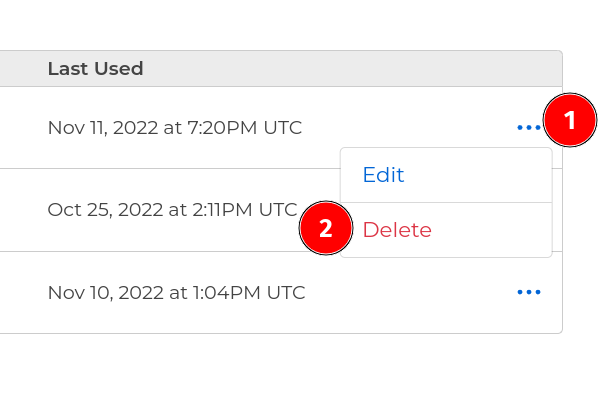
Even if you follow these recommendations, there is still a chance your API Tokens will be compromised at some point. Should this happen, you can cycle any API Token by deleting it and generating a new one. One thing you may notice about the API page is that you can see the last time an API Token was used. API Tokens should always be kept confidential, and if you notice a token has been used at an unusual time, or suspect that a token may be compromised, you can delete the Auth Token and create a new one.
If you have any questions while getting started with SignalWire or keeping your credentials safe, stop by our Community Discord or our Forum to connect with our team!
Frequently asked questions
What are SignalWire credentials?
SignalWire credentials are the three pieces of information you use when connecting to SignalWire APIs: your Space URL, your Project ID, and your API Token.
Where do I find my Space URL, Project ID, and API Token?
Log into your SignalWire Space and open the API tab in the navigation. That page shows your Space URL, Project ID, and existing API Tokens, and it is also where you create new tokens.
What is the difference between authentication and authorization in SignalWire?
Authentication happens when you create your SignalWire Space and log in. Authorization controls what a user can access after login, and users with access to a project can generate API Tokens that authorize requests to APIs and SDKs.
How should I secure my SignalWire API Token?
Limit token permissions by selecting the least-privileged scopes you need, store tokens in environment variables or configuration files rather than hard-coding them, and never share them publicly.
What should I do if I think an API Token is compromised?
Delete the token and generate a new one. The API page also shows the last time a token was used, which can help you spot unusual activity.