***
id: f7fbcf5a-022b-4b2e-ae2b-fdad62017204
title: Amazon Polly
description: Learn how to use Polly TTS voices on the SignalWire platform.
slug: /voice/tts/amazon-polly
-----------------------------
Amazon Web Services' Polly TTS engine includes several models to accommodate different use cases.
## Models
SignalWire supports the following three Amazon models.
Polly Standard is a traditional, cost-effective, and reliable TTS model.
Example voice ID string: `amazon.Emma:en-GB` or `amazon.Emma:standard:en-GB`
Polly Neural produces more natural, human-like speech than Polly Standard.
Example voice ID string: `amazon.Kendra:neural:en-US`
Polly Generative is Amazon's largest and most realistic model.
Example voice ID string: `amazon.Danielle:generative:en-US`
## Languages
Consult AWS documentation for a comprehensive and up-to-date list of supported voices,
as well as information on accented and fully bilingual voices.
Most Amazon Polly voices support a single language.
Select voices from this list, which includes Standard, Neural, and Generative models.
All Amazon Polly voices support accented bilingual pronunciation through the use of the SSML `lang` tag.
Learn more about fully bilingual voices like `Aditi`, `Kajal`, `Hala`, and `Zayd`,
which are designed to fluently speak two languages.
## Usage
Amazon voice IDs conform to the following format:
```
amazon.::
```
| Parameter | Possible values | Description |
| :--------------------------------------------------------- | :---------------------------------------------------------------------------- | :-------------------------------------- |
| `engine`
required | - `amazon`
- `polly` (will be deprecated in the future)
| TTS engine |
| `voice`
required | Choose from the [**Name/ID** column][polly] | Voice ID |
| `model`
optional | `standard`, `neural`, or `generative` | Amazon Polly model. Default: `standard` |
| `language`
optional | Choose from the [**Language code** column][polly] | Sets model language. Default: `en-US` |
**Examples:**
```
amazon.Joanna
amazon.Joanna:standard:en-US
amazon.Kendra:neural:en-US
amazon.Matthew:neural:en-US
amazon.Danielle:generative:en-US
amazon.Amy:generative:en-GB
amazon.Aditi:standard:hi-IN
```
**Simplified Format:**
For voices that only support one model, you can omit the model parameter:
```
amazon.:
```
Example: `amazon.Aditi:hi-IN` (Standard model implied)
The `polly` engine code is being deprecated. Use `amazon` instead.
Amazon Polly has a limit of 3000 chargeable characters in a single request.
If your TTS request is longer than 3000 characters, you will experience silence.
***
## Examples
See how to use Amazon Polly voices on the SignalWire platform.
Use the
[**`languages`**](/docs/swml/reference/ai/languages#use-voice-strings)
SWML method to set one or more voices for an [AI agent](/docs/swml/reference/ai).
```yaml
version: 1.0.0
sections:
main:
- ai:
prompt:
text: Have an open-ended conversation about flowers.
languages:
- name: English
code: en-US
voice: amazon.Ruth:neural
```
Alternatively, use the [**`say_voice`** parameter](/docs/swml/reference/play#variables)
of the [**`play`**](/docs/swml/reference/play)
SWML method to select a voice for basic TTS.
```yaml
version: 1.0.0
sections:
main:
- set:
say_voice: "amazon.Ruth:neural"
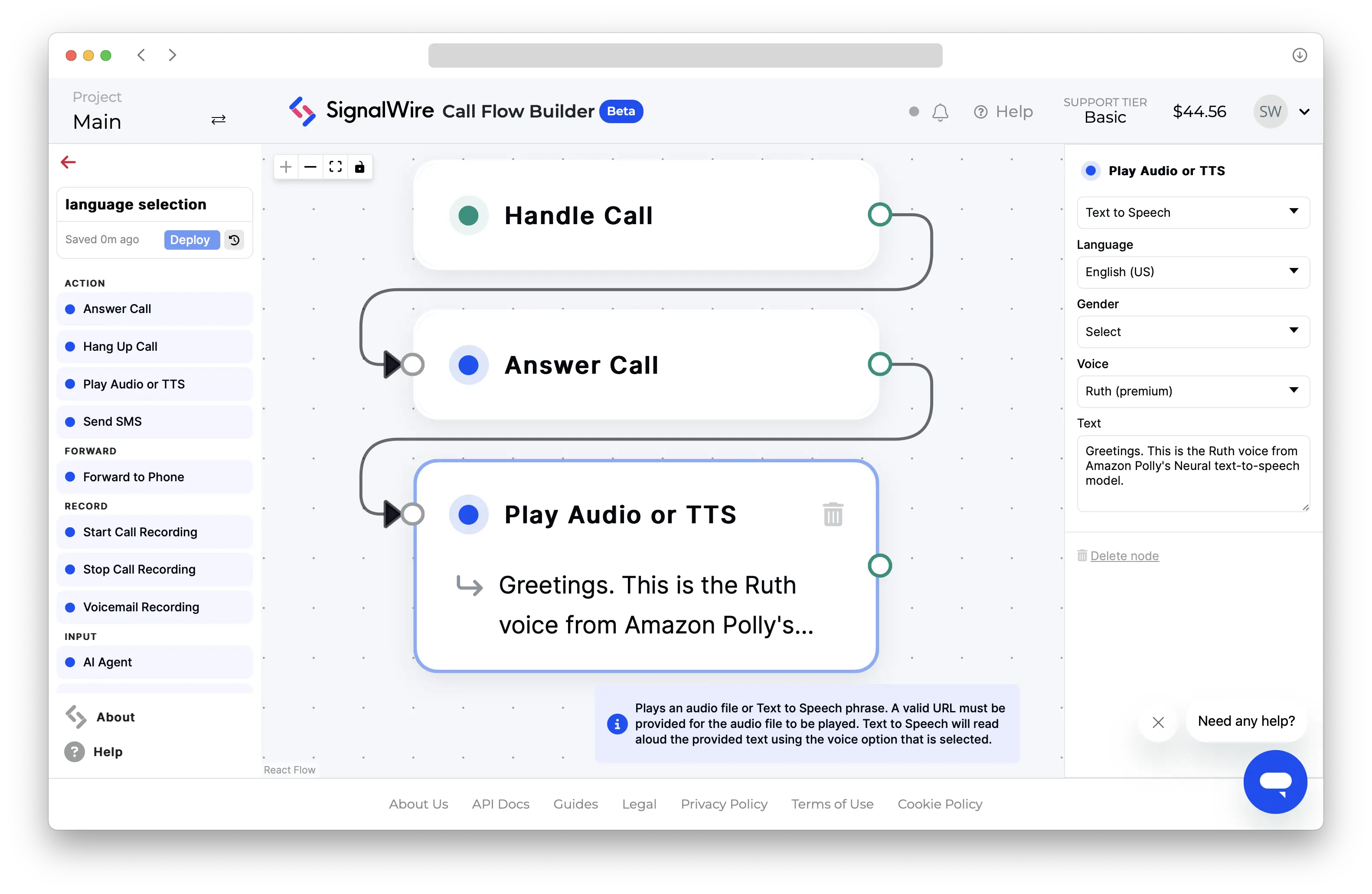
- play: "say:Greetings. This is the Ruth voice from Amazon Polly's Neural text-to-speech model."
```
```javascript
// This example uses the Node.js SDK for SignalWire's RELAY Realtime API.
const playback = await call.playTTS({
text: "Greetings. This is the Ruth voice from Amazon Polly's Neural text-to-speech model.",
voice: "amazon.Ruth:neural",
});
await playback.ended();
```
[polly]: https://docs.aws.amazon.com/polly/latest/dg/available-voices.html "Available Amazon Polly voices"