***
id: c2342628-3776-42ed-91ab-386446fea03e
title: Addresses
slug: /addresses
----------------
{/* Shared component: Resource Addresses */}
Each **Resource** is uniquely identified by its **Address**, allowing for precise targeting and interaction within the Call Fabric ecosystem.
This simplifies the development process by providing a standardized way to handle different communication elements, and
enhances flexibility, as developers can interact with a wide range of communication tools using a unified approach.
Resources can have **multiple addresses**, and addresses are **mutable**.
For instance, you can map a SWML script and a Video Room to the same Resource Address.
These addresses can be changed or deleted later as needed.
## Types
Call Fabric supports multiple address types to accommodate different communication protocols and use cases:
* **Phone numbers**: Traditional phone numbers in E.164 format (e.g., `+14155551234`) that can be mapped to resources for PSTN connectivity.
* **SIP addresses**: SIP URIs for VoIP communications (e.g., `sip:user@domain.com`) enabling direct SIP endpoint connections.
* **Alias**: Custom names that provide alternative addressing for resources, making them easier to remember and use (e.g., `/support-queue` or `/main-conference`).
Each address type follows the same context and naming conventions described below, allowing seamless integration across different communication channels.
Each **Resource Address** has two components:
* **Context**: Identifies the path of the address. Currently can be `public` or `private`.
* **Name**: By default the name of the address will be the name of the resource, however,
a user can also change or add an `alias` of an address.
For example, the address for an `AI Agent` resource named `Alice-AI` in the `public` context would be `/public/Alice-AI`.
If you were to change the `alias` to `John-AI` the address would become `/public/John-AI`.
If you are interacting with a resource from within the same context, you can omit the context from the address.
For example, if you are interacting with a `Subscribers` resource named `Bob` from within the `private` context,
you can use the address `/Bob` instead of `/private/Bob`.
Once you have created a Resource, you can use the address to interact with it within the Call Fabric ecosystem.
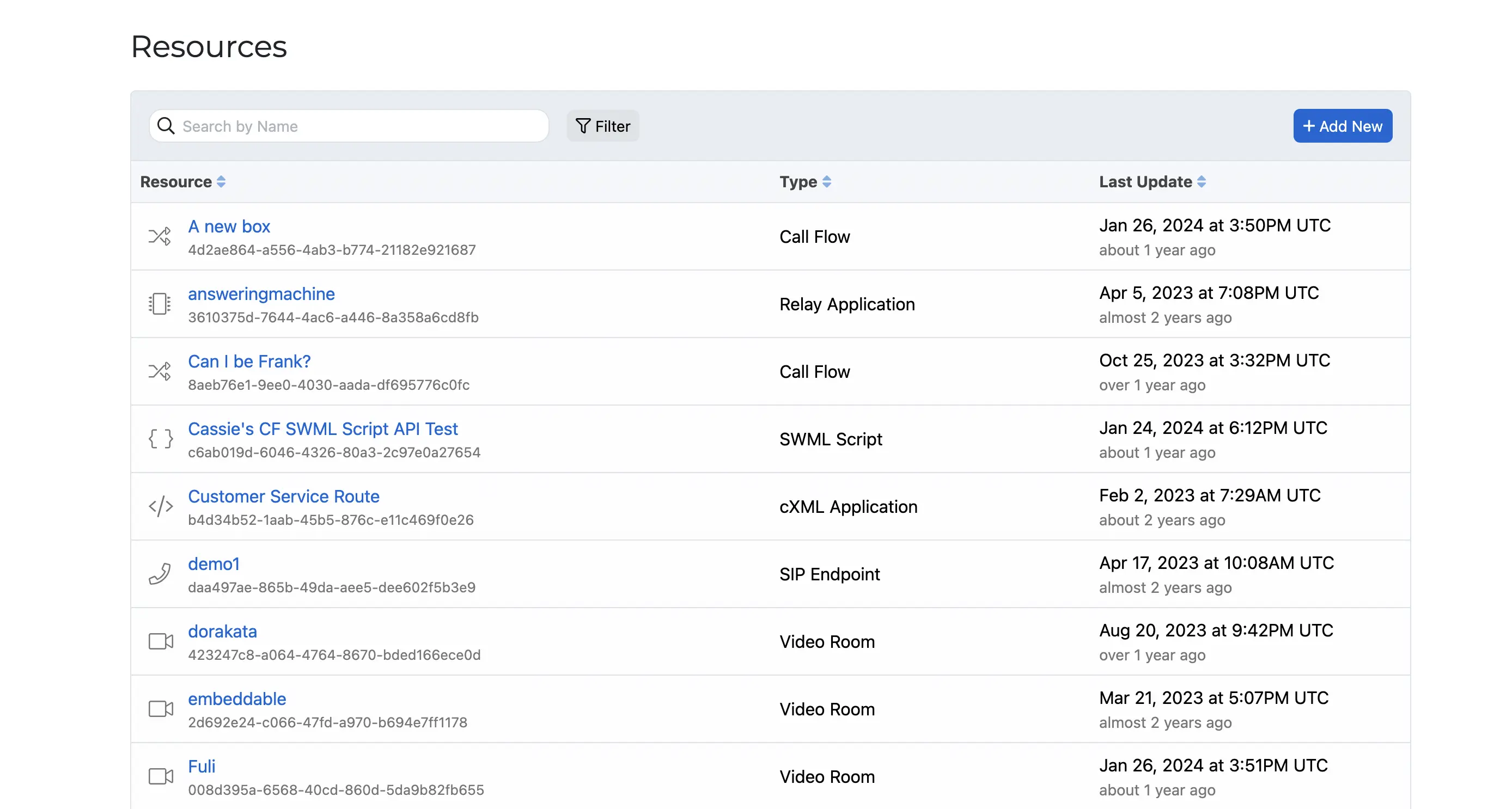
Additionally, you can view the created resource in the `Resources` tab of the SignalWire Dashboard.
Here, you can view the address, type, and other details of the resource.