***
id: a87dee02-cb76-4999-9adc-8d50435c98bf
title: Start Call Recording
description: Call Flow Builder node to start recording a call.
slug: /reference/start-call-recording
max-toc-depth: 3
----------------
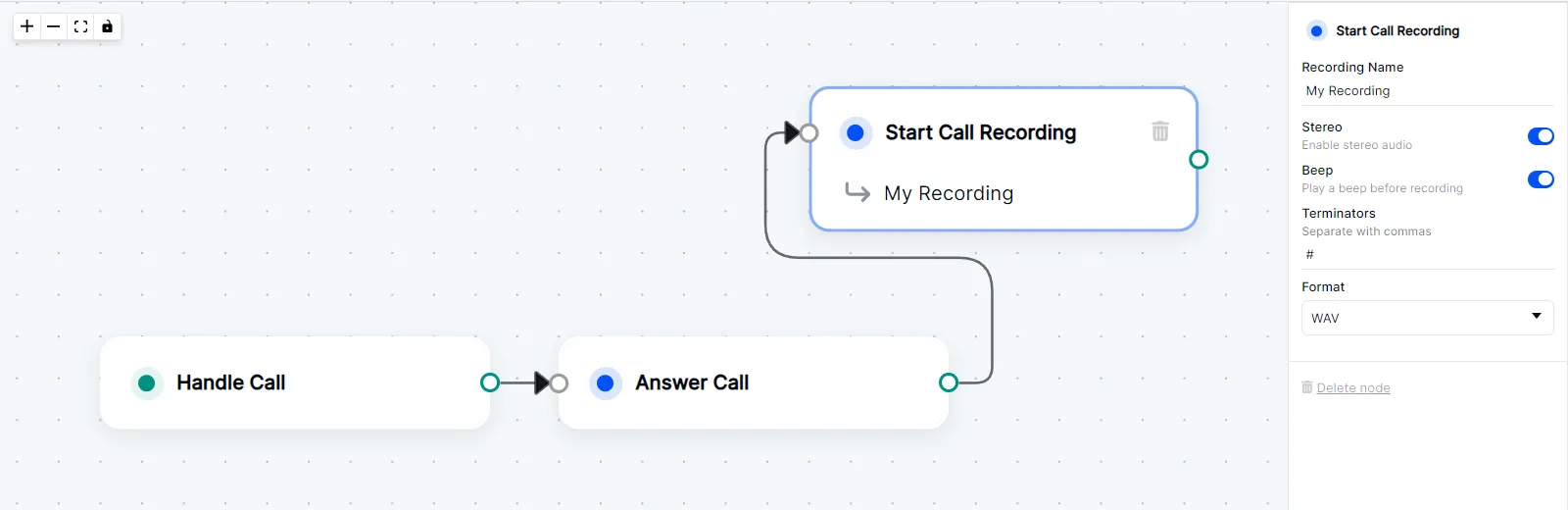
This node triggers background recording of both sides of the call.
The recording will automatically stop if the call is disconnected.
To manually stop the recording, use the [Stop Call Recording](/docs/call-flow-builder/reference/stop-call-recording) node.
## Node Settings
The name of the recording file. The name is user-defined.
**Default Value:** `Recording 1`
If enabled, the recording will be in stereo. If disabled, the recording will be in mono.
**Default Value:** `toggled off`
If enabled, a beep sound will be played at the beginning of the recording.
**Default Value:** `toggled off`
The DTMF digits that will stop the recording. The recording will stop when any of the specified digits are pressed.
**Default Value:** `None`
The format of the recording file. The available formats are `wav` and `mp3`.
**Default Value:** `wav`
## Example