***
id: d67de0e5-2ee8-4841-ac69-6a4462a87ee1
title: Send SMS
description: Call Flow Builder node to send an SMS
slug: /reference/send-sms
max-toc-depth: 3
----------------
The Send SMS node is used to send an SMS to a phone number.
## **Node Settings**
The phone number to which the SMS will be sent.
The phone number from which the SMS will be sent.
The text of the SMS that will be sent.
## **Example**
### Send SMS with variable
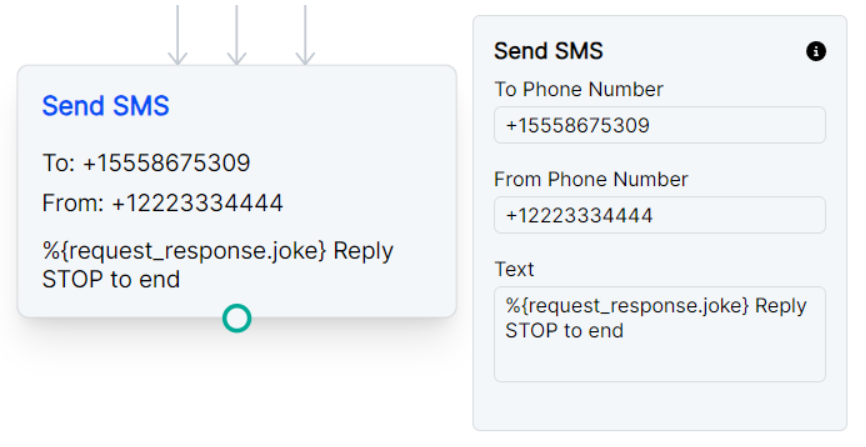
The example below is connected with a Request node that sends a request to a joke API.
Knowing the parameters of the API response, the node can pull the request’s response with `%{request_response.joke}`.
This example also includes messaging opt-out verbiage since this is important to avoid SMS spam blocks.
***
### Send SMS notification as Call Whisper
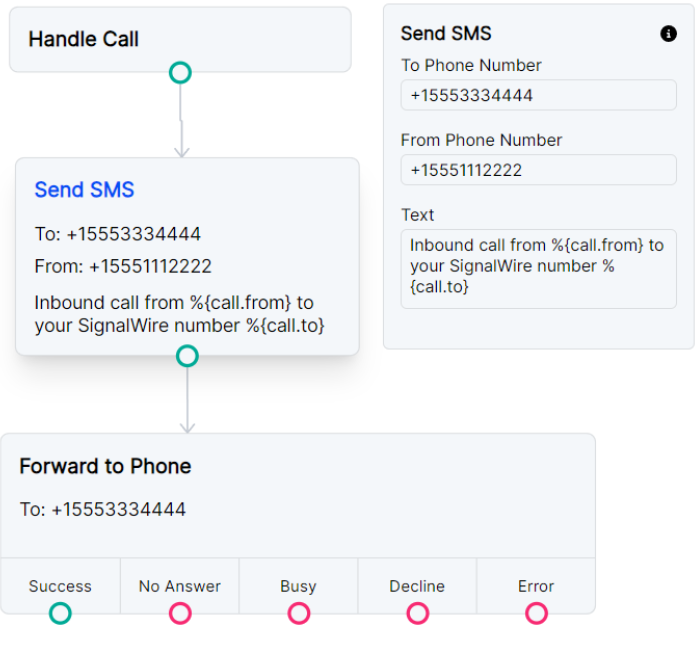
You might be using Call Flow Builder to forward calls to a personal cell phone. The example below will send an SMS to the specified phone number just before forwarding a call to that same number. This way you’ll receive a text letting you know this is a forwarded call from SignalWire and which original SignalWire number your caller dialed.