***
id: 74096c3d-77d5-44fa-b724-66f024b73796
title: Display call thumbnails
slug: /js/guides/display-call-thumbnails
description: Learn how to get thumbnails for your video rooms.
x-custom:
ported\_from\_readme: true
tags:
* 'product:video'
* 'language:javascript'
* 'language:react'
* 'sdk:relaybrowser'
* 'sdk:relayrealtime'
sidebar\_custom\_props:
platform: javascript
max-toc-depth: 3
***
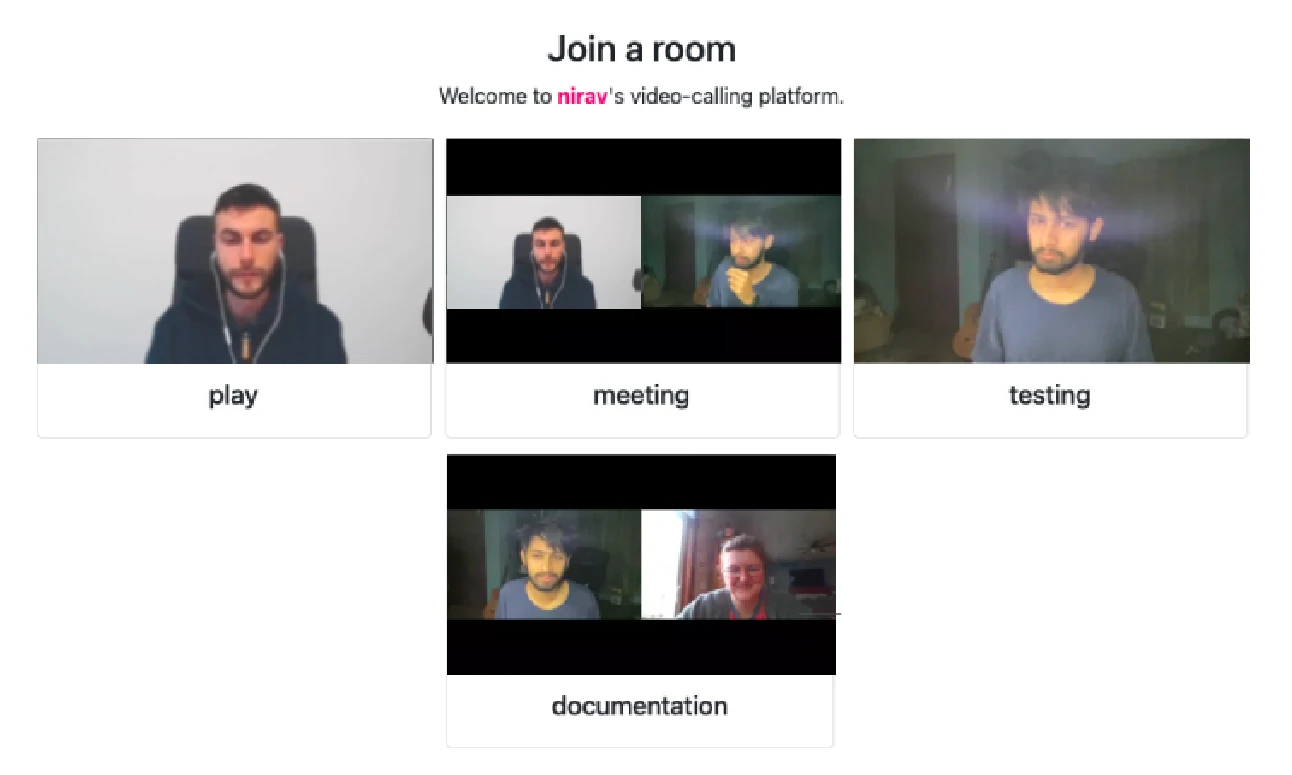
Once you start to host multiple rooms with several people each, you might want a way to peek into the rooms. Room names only take you so far.
## Introducing Video Previews
Video previews are live thumbnails of the ongoing room sessions. They refresh twice every minute, and record a small slice of the room. You can use these previews to represent a room.
## Turning Video Previews On
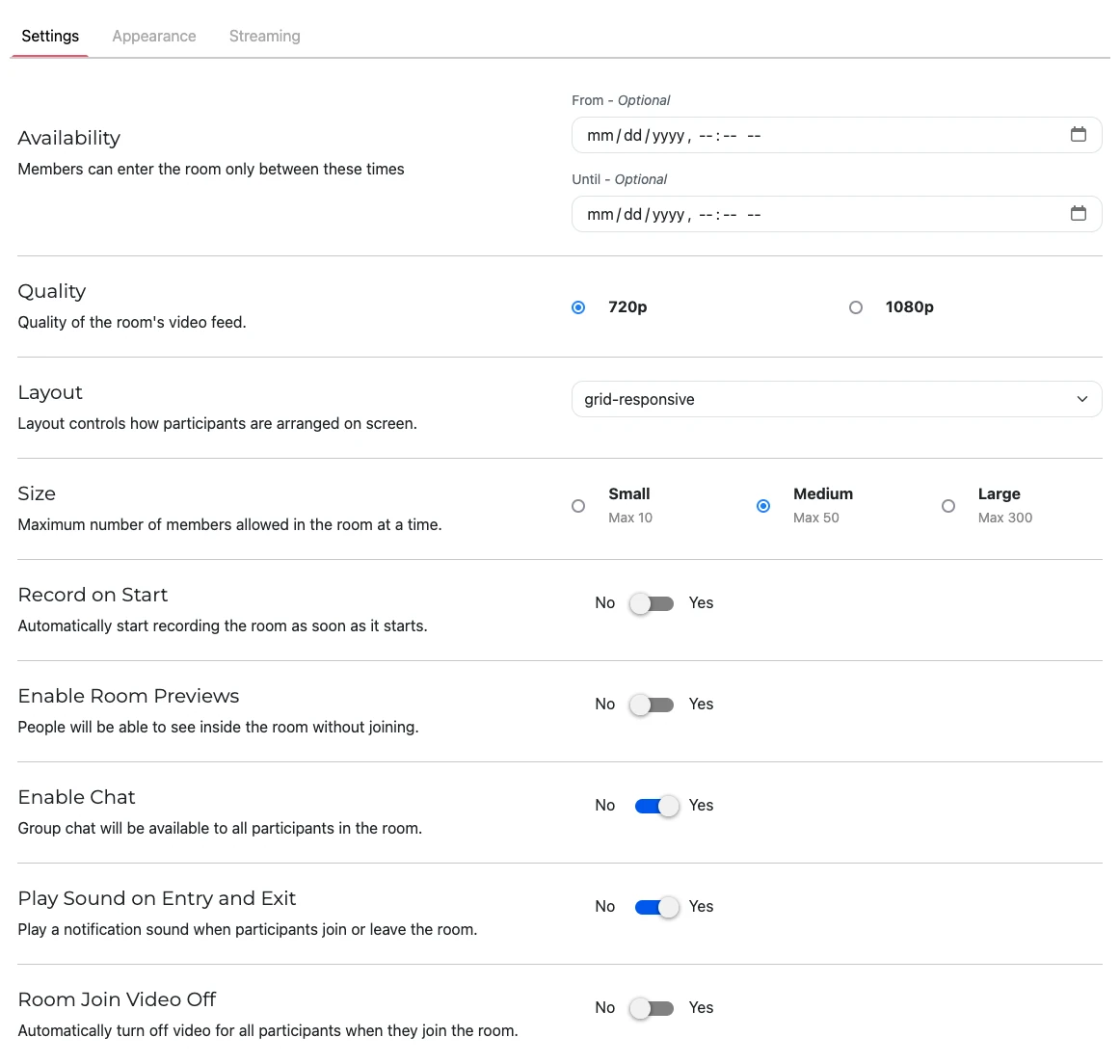
Depending on how you are creating your rooms, you need to enable video previews before you can begin using them.
If you’re using the API to programmatically [create rooms](/docs/apis/video/rooms/create-room), you need to set the `enable_room_previews` attribute to `true` when creating the new room.
If you’re auto-creating a new room when requesting a room token, you need to set the `enable_room_previews` attribute to `true` .
If you’re using the new programmable video communication tool, just turn on `Enable Room Previews` option from settings.
## Obtaining the actual previews
SignalWire makes the video previews accessible as animated `.webp` images. There
are a few ways to get their URL: some might be easier or better suited based on
your application. In the following sections we review the different methods,
namely REST APIs, JavaScript SDKs, and Programmable Video Conferences.
### REST API
If you have a proxy backend (as described in the [Simple Video Demo](/docs/browser-sdk/v3/js/guides/build-a-video-app)), you can query the Rest API for the room sessions. You can either list all room sessions with the [`GET /api/video/room_sessions`](/docs/apis/video/room-sessions/list-room-sessions) endpoint. Or if you have the id of your current room session, you can [`GET /api/video/room_sessions/{id}`](/docs/apis/video/room-sessions/get-room-session).
The URL for the preview image will be in the attribute, `preview_url` for the room session. If preview is turned off, there'll be a `null` instead of the URL.
### Realtime API and Video Client SDK
#### RELAY v3
For Realtime API (RELAY v3), you can add an event listener for
[`room.started`](/docs/server-sdk/node/reference/video/client#onroomstarted)
event to get new room sessions as they are created.
#### RELAY v4
For Realtime API (RELAY v4), you can add an event listener for
[`onRoomStarted`](/docs/server-sdk/node/reference/video/client#onroomstarted)
event to get new room sessions as they are created.
For the Video Client SDK running in the browser, the `previewUrl` is available in the same [RoomSession](/docs/browser-sdk/v3/js/reference/video/room-session) object you create to start the video call.
You will find the preview image in the `previewUrl` attribute of the RoomSession object.
## Refreshing the previews
### Vanilla HTML/JavaScript
The previews of the room are regenerated a few times every minute. The content
changes, but the URL remains the same. To keep them up to date in your website,
you should keep on updating them using a timing mechanism like `createInterval`.
For example, using Programmable Video Conferences with AppKit:
```html
![]() ```
### React
If you are using React, you can use the
`@signalwire-community/react`
package which offers a handy component for rendering room previews. You just
need to provide the URL, and the component will take care of refreshing,
caching, loading indicators, and so on.
For example:
```jsx
// npm install @signalwire-community/react
import { RoomPreview } from "@signalwire-community/react";
export default function App() {
// const previewUrl = ...
return (
);
}
```
### React Native
If you are using React Native, you can use the
`@signalwire-community/react-native-room-preview`
package which offers a handy component for rendering room previews. Just like
for the React component, you just need to provide the URL, and the component
will take care of refreshing, caching, loading indicators, and so on.
For example:
```jsx
import React from "react";
import { SafeAreaView } from "react-native";
import { RoomPreview } from "@signalwire-community/react-native-room-preview";
export default function App() {
return (
);
}
```
### Demo
The demo code is also available on [GitHub](https://github.com/signalwire/guides/tree/main/Video/Room%20Preview%20Demo).
```
### React
If you are using React, you can use the
`@signalwire-community/react`
package which offers a handy component for rendering room previews. You just
need to provide the URL, and the component will take care of refreshing,
caching, loading indicators, and so on.
For example:
```jsx
// npm install @signalwire-community/react
import { RoomPreview } from "@signalwire-community/react";
export default function App() {
// const previewUrl = ...
return (
);
}
```
### React Native
If you are using React Native, you can use the
`@signalwire-community/react-native-room-preview`
package which offers a handy component for rendering room previews. Just like
for the React component, you just need to provide the URL, and the component
will take care of refreshing, caching, loading indicators, and so on.
For example:
```jsx
import React from "react";
import { SafeAreaView } from "react-native";
import { RoomPreview } from "@signalwire-community/react-native-room-preview";
export default function App() {
return (
);
}
```
### Demo
The demo code is also available on [GitHub](https://github.com/signalwire/guides/tree/main/Video/Room%20Preview%20Demo).